


1. Introduction
Computers and networking form the backbone of the modern digital world. From smartphones and laptops to large data centers and cloud platforms, computers process data and networks connect them to share information. Every online activity—sending emails, browsing websites, attending online classes, digital banking, and video calls—depends on computer systems and networking technologies.
Understanding the basics of computers and networking helps students and professionals develop technical skills, improve digital literacy, and understand how data flows across the world. This chapter explains the fundamental components of a computer, types of computers, software concepts, networking principles, network devices, protocols, and security basics.
2. Basics of Computer
A computer is an electronic device that accepts input, processes it according to instructions, stores data, and produces output.
Functional Units of a Computer
A computer system mainly consists of four basic units:
2.1 Input Unit
The input unit allows users to enter data and instructions into the computer. Examples include:
- Keyboard
- Mouse
- Scanner
- Microphone
- Webcam
The input data is converted into a machine-readable form for processing.
2.2 Central Processing Unit (CPU)
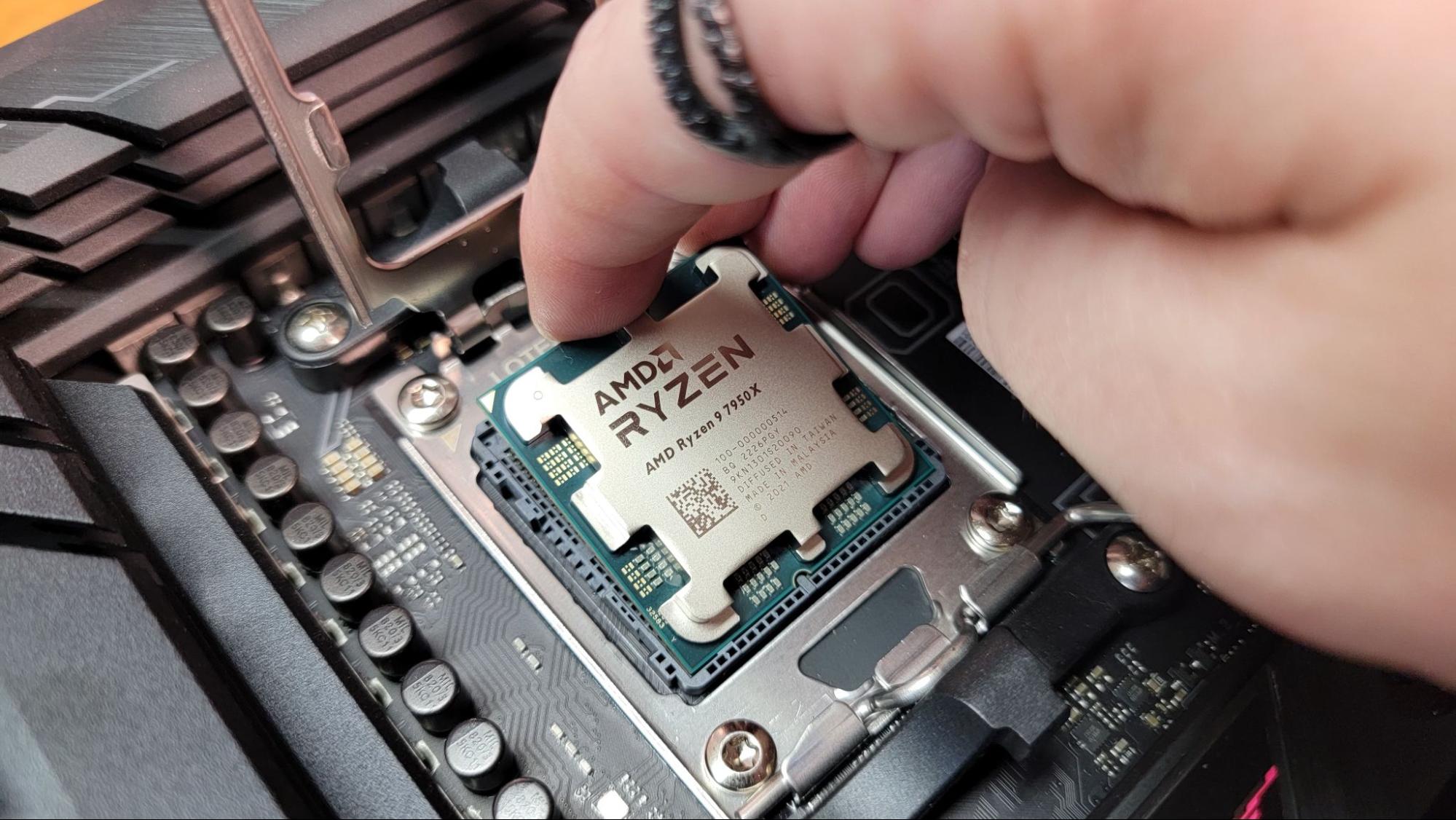


The CPU (Central Processing Unit) is called the brain of the computer. It performs all calculations and logical operations. It has three main components:
- Arithmetic Logic Unit (ALU) – Performs arithmetic operations (addition, subtraction, multiplication) and logical operations (AND, OR, NOT).
- Control Unit (CU) – Directs the operations of the processor by telling other components what to do.
- Registers – Small storage areas inside the CPU for quick access.
2.3 Memory Unit
Memory stores data and instructions. It is divided into:
Primary Memory (Main Memory)
- RAM (Random Access Memory) – Temporary storage; volatile.
- ROM (Read Only Memory) – Permanent storage; non-volatile.
Secondary Memory
- Hard Disk
- SSD
- Pen Drive
- CD/DVD
Primary memory is faster than secondary memory.
2.4 Output Unit
The output unit displays processed data. Examples:
- Monitor
- Printer
- Speaker
- Projector
3. Types of Computers
Computers are classified based on size, performance, and purpose:
- Supercomputers – Used for scientific research and weather forecasting.
- Mainframe Computers – Used by banks and large organizations.
- Minicomputers – Medium-sized computers.
- Microcomputers – Personal computers (PCs), laptops, tablets.
4. Hardware and Software
4.1 Hardware
Physical components of a computer system such as keyboard, mouse, monitor, CPU, hard disk, etc.
4.2 Software
Programs or instructions that tell the computer what to do.
Types of software:
- System Software – Operating systems like Windows, Linux.
- Application Software – MS Word, Excel, Browser.
- Utility Software – Antivirus, Disk Cleanup tools.
5. Operating System (OS)
An Operating System acts as an interface between user and hardware. It manages:
- Memory
- Files
- Processes
- Input and output devices
Popular operating systems include:
- Microsoft Windows
- Linux
- macOS
Functions of OS:
- Process management
- Memory management
- File system management
- Device management
- Security management
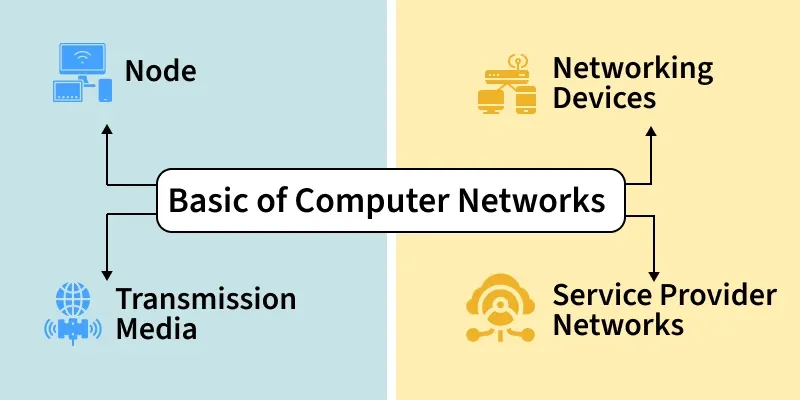
6. Basics of Computer Networking
A computer network is a group of interconnected computers that share resources and information.
Networking allows:
- File sharing
- Internet access
- Printer sharing
- Communication (email, chat, video call)
7. Types of Networks
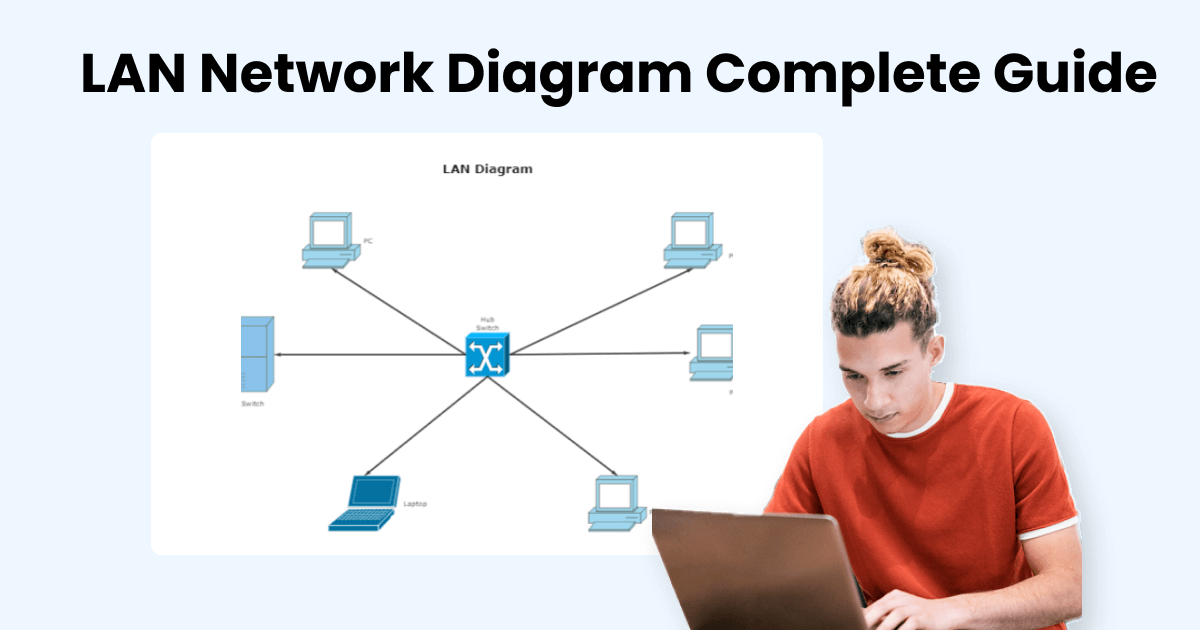
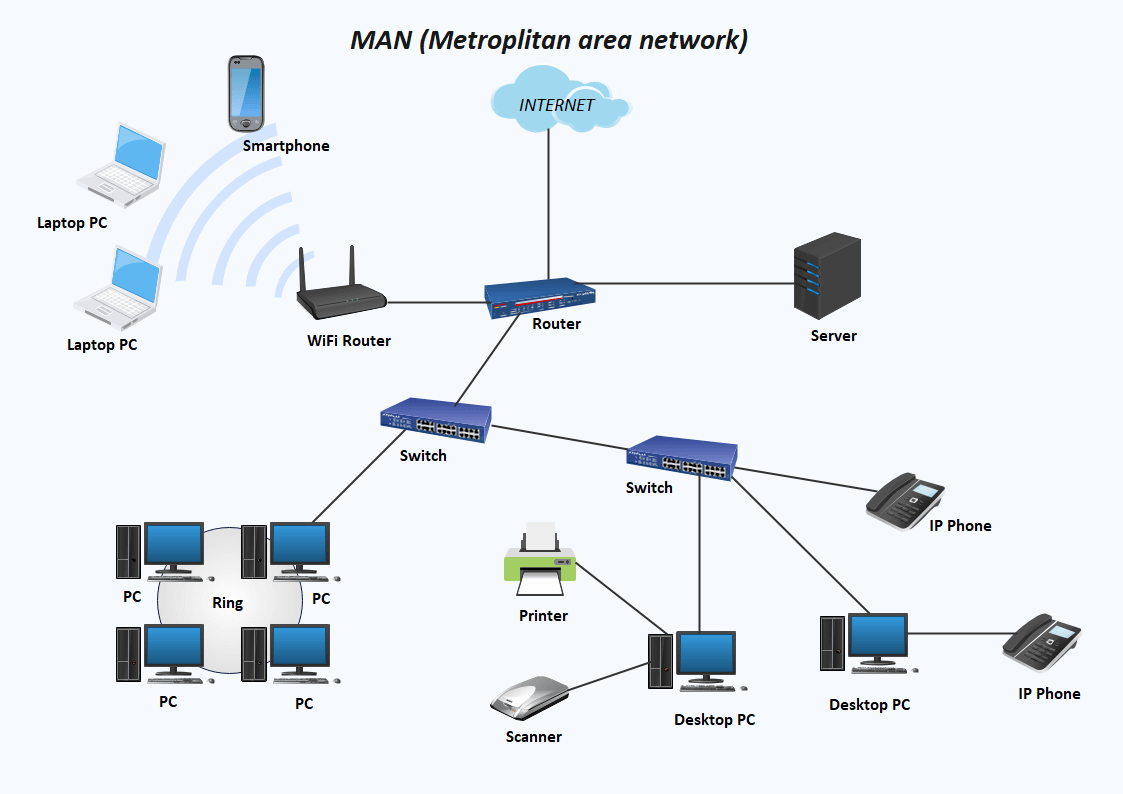
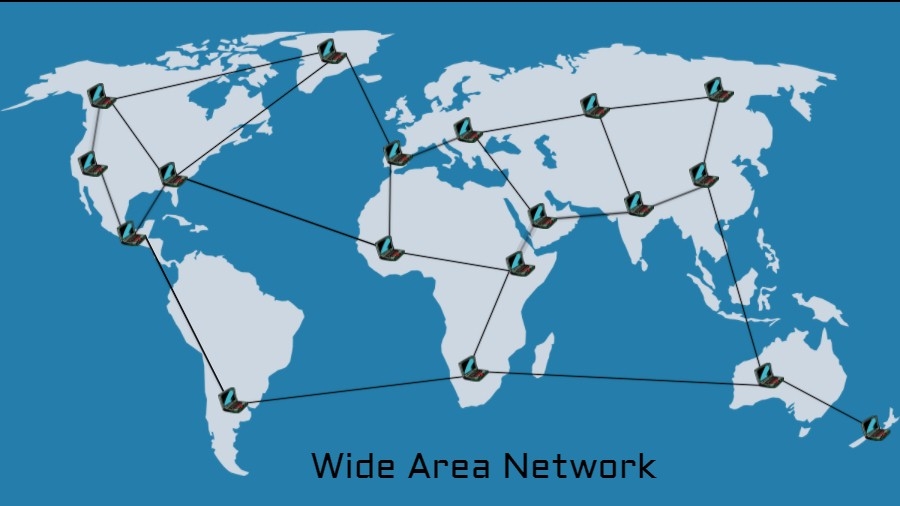
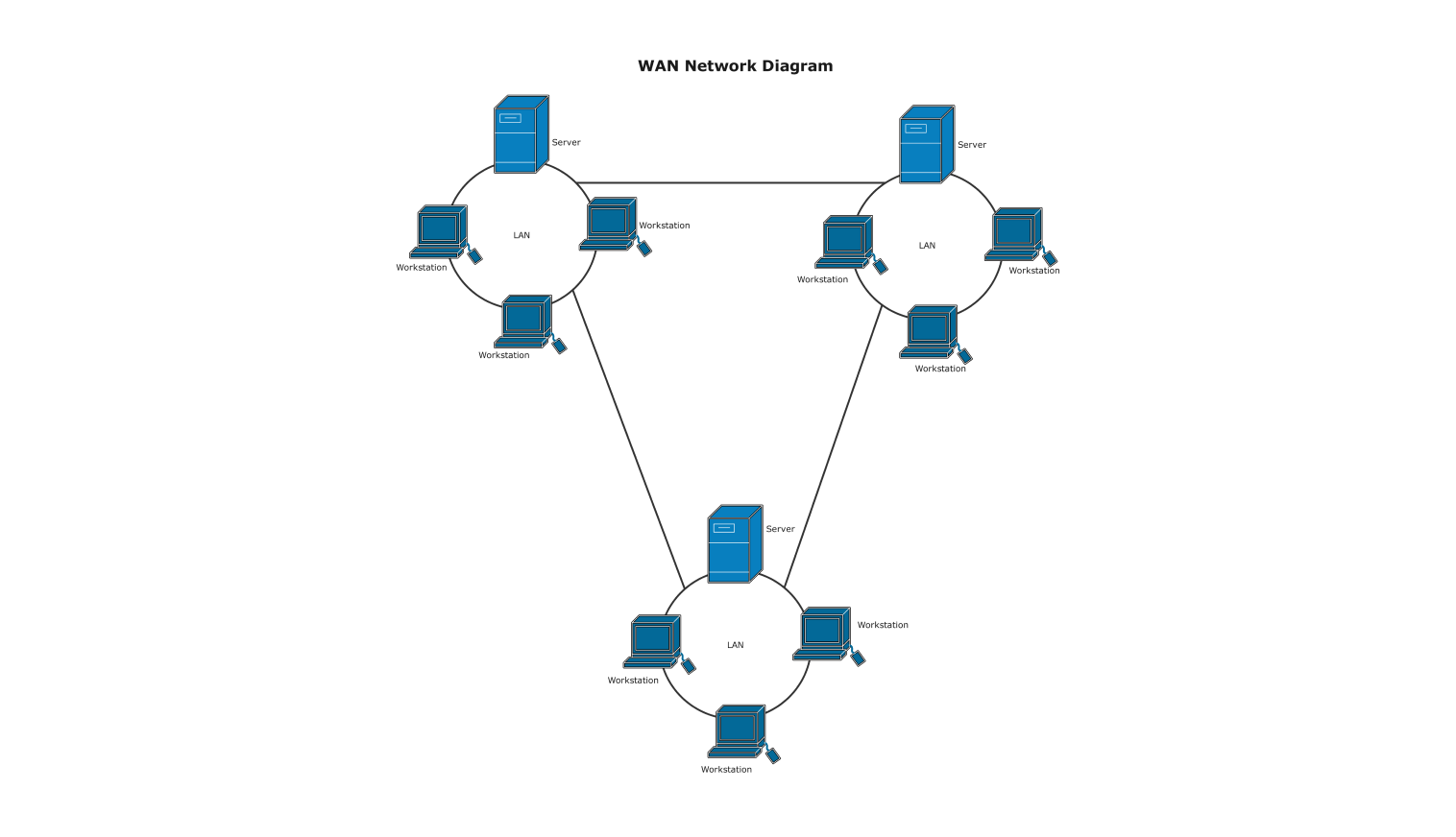
Networks are classified based on geographical coverage:
7.1 PAN (Personal Area Network)
Covers a small area (e.g., Bluetooth connection between phone and laptop).
7.2 LAN (Local Area Network)
Covers small area like home, school, or office.
7.3 MAN (Metropolitan Area Network)
Covers a city.
7.4 WAN (Wide Area Network)
Covers large geographical areas like countries or continents.
Example: The Internet.
8. Network Devices
Networking requires hardware devices:
8.1 Modem
Converts digital signals into analog and vice versa.
8.2 Router

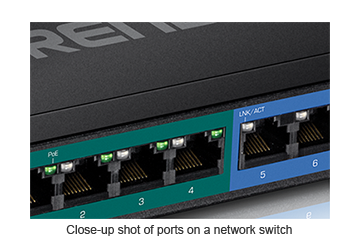
Connects multiple networks and directs data packets.
8.3 Switch
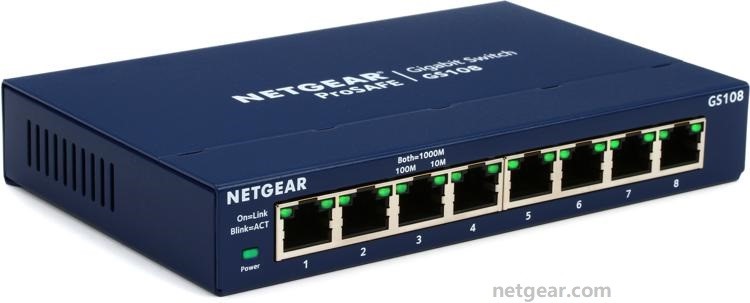
Connects devices within a LAN and sends data to the correct device.
8.4 Hub
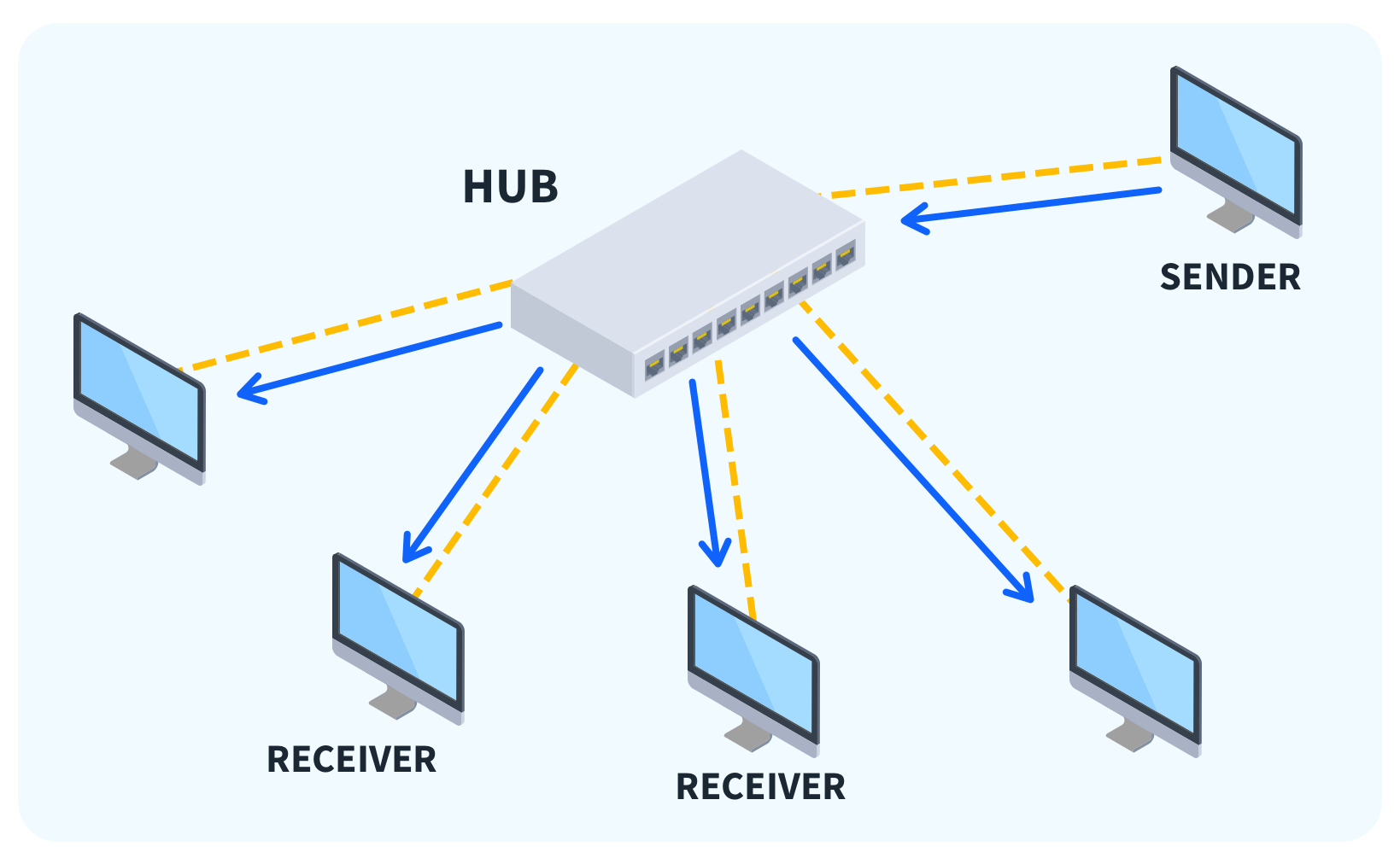
Broadcasts data to all connected devices.
8.5 Repeater
Strengthens weak signals.
9. Network Topologies
Network topology refers to the layout of connections.
Common types:
- Bus topology
- Star topology
- Ring topology
- Mesh topology
Star topology is most commonly used in LANs.
10. Transmission Media
Transmission media is the communication path between devices.
10.1 Wired Media
- Twisted pair cable
- Coaxial cable
- Optical fiber
10.2 Wireless Media
- Wi-Fi
- Bluetooth
- Satellite
Optical fiber provides high speed and long-distance communication.
11. IP Address and Protocols
11.1 IP Address
An IP address uniquely identifies a device on a network.
Example: 192.168.1.1
Two versions:
- IPv4
- IPv6
11.2 Protocol
A protocol is a set of rules that govern data communication.
Common protocols:
- HTTP (HyperText Transfer Protocol)
- HTTPS (Secure HTTP)
- FTP (File Transfer Protocol)
- TCP/IP
TCP/IP ensures reliable communication over the internet.
12. Internet and World Wide Web
The Internet is a global network of interconnected computers.
The World Wide Web (WWW) is a system of interlinked web pages accessed through browsers.
Popular web browsers:
- Google Chrome
- Mozilla Firefox
- Microsoft Edge
13. Network Security Basics
With increased networking, security is essential.
13.1 Threats
- Virus
- Malware
- Phishing
- Hacking
13.2 Security Measures
- Antivirus software
- Firewall
- Strong passwords
- Encryption
A firewall monitors incoming and outgoing traffic.
14. Cloud Computing
Cloud computing allows users to store and access data over the internet instead of local storage.
Examples:
- Google Drive
- Dropbox
Advantages:
- Cost-effective
- Scalable
- Accessible anywhere
15. Advantages of Computer Networking
- Resource sharing
- Fast communication
- Centralized data management
- Improved collaboration
- Remote access
16. Limitations of Networking
- Security risks
- High setup cost
- Network failure affects all users
- Requires skilled administration
17. Overview
Computers and networking are essential components of modern life. A computer works through input, processing, storage, and output, supported by hardware and software systems. The CPU, memory, and operating system coordinate tasks efficiently. Networking connects multiple computers to share resources and communicate across different geographical areas.
Different types of networks—PAN, LAN, MAN, and WAN—serve various purposes based on scale. Networking devices like routers, switches, and modems ensure smooth data transmission. Protocols such as TCP/IP enable standardized communication, while IP addresses identify devices uniquely.
The internet and World Wide Web have revolutionized communication, education, commerce, and entertainment. However, network security is equally important to protect data from cyber threats. Cloud computing further enhances data accessibility and storage flexibility.
In, understanding the basis of computer and networking provides foundational knowledge necessary for higher studies in information technology and computer science. It helps individuals adapt to technological advancements and prepares them for a digitally connected world.
Conclusion: Basis of Computer and Networking
In conclusion, the study of computers and networking forms the foundation of the modern digital era. Computers are no longer limited to offices or research laboratories; they are integrated into almost every aspect of daily life. From education and healthcare to banking, business, entertainment, communication, and governance, computers have become essential tools for efficiency, productivity, and innovation. Understanding the basic structure and functioning of computers helps individuals appreciate how data is processed, stored, and transformed into meaningful information.
A computer operates on a simple yet powerful principle known as the IPO cycle—Input, Process, and Output. This fundamental concept explains how data is entered into a system, processed by the Central Processing Unit (CPU), stored in memory, and presented as useful output. The CPU, often referred to as the brain of the computer, performs arithmetic and logical operations through the Arithmetic Logic Unit (ALU) and controls all operations through the Control Unit (CU). Without memory units such as RAM and ROM, computers would not be able to store instructions or process information efficiently. Secondary storage devices further enhance data retention by allowing permanent storage of large amounts of information.
Equally important is the role of software in making hardware functional. Hardware components alone cannot perform tasks unless guided by software instructions. System software, particularly the operating system, acts as an interface between users and hardware. It manages memory, processes, files, and input-output devices. Application software enables users to perform specific tasks such as word processing, spreadsheet management, graphic design, and internet browsing. Utility software ensures system maintenance and security. Together, hardware and software create a complete and efficient computing environment.
While individual computers are powerful tools, their true potential is realized when they are connected through networks. Computer networking has revolutionized the way information is shared and accessed. A network allows multiple computers to communicate, share resources, and collaborate in real time. The development of networking has transformed isolated machines into interconnected systems capable of global communication.
Different types of networks—Personal Area Network (PAN), Local Area Network (LAN), Metropolitan Area Network (MAN), and Wide Area Network (WAN)—serve various purposes based on geographical coverage and scale. A PAN connects devices within a small personal space, such as smartphones and laptops using Bluetooth. A LAN connects computers within a limited area like schools, offices, or homes. A MAN covers larger urban regions, while a WAN connects networks across countries and continents. The Internet is the largest example of a WAN, connecting billions of devices worldwide.
Networking devices such as routers, switches, hubs, modems, and repeaters play critical roles in establishing communication. Routers direct data packets between networks, switches connect devices within a network efficiently, and modems convert digital signals to analog for transmission over communication lines. Transmission media, including wired cables like optical fiber and wireless technologies like Wi-Fi, make data transfer possible. The choice of transmission medium affects speed, reliability, and cost.
Protocols are the rules that govern communication between devices in a network. Without protocols, devices would not understand how to send or receive data. TCP/IP serves as the fundamental communication protocol of the internet, ensuring reliable and accurate data transmission. IP addresses uniquely identify devices on a network, enabling data to reach the correct destination. With the increasing number of devices, IPv6 has been introduced to provide a larger address space than IPv4.
The Internet and the World Wide Web have dramatically changed human life. The internet is a global network of interconnected systems, while the World Wide Web is a collection of web pages accessible through browsers. Through these technologies, people can communicate instantly across the globe, access unlimited information, conduct online business transactions, and participate in virtual learning environments. Social networking, cloud computing, and digital services have further enhanced connectivity and convenience.
However, as networking grows, so do the challenges associated with security and privacy. Cyber threats such as viruses, malware, phishing, hacking, and data breaches pose significant risks to individuals and organizations. Protecting sensitive information requires strong security measures including firewalls, antivirus software, encryption, and secure passwords. Cybersecurity awareness is essential for preventing unauthorized access and safeguarding digital assets.
Cloud computing represents another important advancement in computer networking. It allows users to store data and run applications on remote servers instead of local devices. This technology offers flexibility, scalability, cost efficiency, and remote accessibility. Businesses and educational institutions increasingly rely on cloud platforms to manage data and collaborate effectively. Cloud computing demonstrates how networking continues to evolve and expand the capabilities of computer systems.
The advantages of computer networking are numerous. It promotes resource sharing, reduces costs, improves communication, enhances collaboration, and provides centralized data management. Remote access allows users to work from different locations, increasing productivity and flexibility. In education, networking enables online classes, digital libraries, and global academic collaboration. In healthcare, it facilitates electronic medical records and telemedicine. In business, it supports e-commerce, digital marketing, and global operations.
Despite these benefits, networking also has limitations. Setting up and maintaining networks can be expensive and technically complex. Network failures may disrupt communication and operations. Security vulnerabilities can expose confidential data. Therefore, proper planning, skilled administration, and regular maintenance are essential to ensure smooth network performance.
In the broader perspective, computers and networking have played a significant role in shaping the information society. They have accelerated globalization, broken geographical barriers, and created new opportunities for economic growth and innovation. Artificial Intelligence, Internet of Things (IoT), big data analytics, and cybersecurity are advanced fields that build upon the basic concepts of computer systems and networking. A strong understanding of foundational principles is necessary for exploring these emerging technologies.
Moreover, digital literacy has become a fundamental skill in the 21st century. Students, professionals, and citizens must understand basic computing and networking concepts to participate effectively in modern society. Knowledge of hardware, software, networks, and security empowers individuals to use technology responsibly and efficiently.
In summary, the basis of computer and networking encompasses the essential components, functions, and principles that enable digital communication and data processing. Computers process information through coordinated interaction between hardware and software. Networking connects these systems to facilitate communication and resource sharing on a local and global scale. Protocols, transmission media, and network devices ensure reliable data exchange, while security measures protect digital information.
As technology continues to evolve rapidly, the importance of understanding these basics becomes even greater. Future innovations will continue to depend on strong computing and networking foundations. By mastering these fundamental concepts, individuals can adapt to technological changes, pursue careers in information technology, and contribute meaningfully to the digital world.
Ultimately, computers and networking are not merely technical systems; they are transformative tools that connect people, ideas, and information across the globe. Their continued development promises greater connectivity, efficiency, and opportunities for growth. A solid grasp of their basic principles ensures that we remain informed, capable, and prepared for the challenges and possibilities of the digital future.
Here are 100 Multiple Choice Questions (MCQs) from Basis of Computer and Networking with answers:
1–25: Basics of Computer
- A computer is an ______ device.
A) Mechanical
B) Electronic
C) Manual
D) Optical
Answer: B - The brain of the computer is:
A) Monitor
B) Keyboard
C) CPU
D) Mouse
Answer: C - CPU stands for:
A) Central Processing Unit
B) Computer Processing Unit
C) Central Program Unit
D) Control Processing Unit
Answer: A - ALU performs:
A) Storage
B) Arithmetic & Logic
C) Input
D) Output
Answer: B - Control Unit controls:
A) Only memory
B) All operations
C) Printer
D) Mouse
Answer: B - RAM is:
A) Permanent
B) Temporary
C) Optical
D) Mechanical
Answer: B - ROM is:
A) Volatile
B) Temporary
C) Permanent
D) Cache
Answer: C - Which is an input device?
A) Monitor
B) Printer
C) Keyboard
D) Speaker
Answer: C - Which is an output device?
A) Scanner
B) Mouse
C) Monitor
D) Keyboard
Answer: C - SSD is a type of:
A) Input
B) Primary memory
C) Secondary storage
D) Output
Answer: C - 1 Byte =
A) 4 bits
B) 8 bits
C) 16 bits
D) 32 bits
Answer: B - The smallest unit of data is:
A) Byte
B) KB
C) Bit
D) MB
Answer: C - Which is system software?
A) MS Word
B) Windows
C) Excel
D) Paint
Answer: B - Which is application software?
A) Linux
B) Windows
C) MS Excel
D) BIOS
Answer: C - BIOS is stored in:
A) RAM
B) ROM
C) Hard disk
D) Cache
Answer: B - Cache memory is:
A) Slow
B) Large
C) Very fast
D) External
Answer: C - A supercomputer is used for:
A) Gaming
B) Weather forecasting
C) Typing
D) Printing
Answer: B - Mainframe computers are used by:
A) Students
B) Banks
C) Gamers
D) Designers
Answer: B - Microcomputer is also called:
A) PC
B) Server
C) Mainframe
D) Supercomputer
Answer: A - Hard disk is:
A) Input
B) Output
C) Storage
D) CPU
Answer: C - The full form of RAM is:
A) Random Access Memory
B) Read Access Memory
C) Rapid Access Memory
D) Random Active Memory
Answer: A - The main circuit board is:
A) CPU
B) Motherboard
C) Hard disk
D) ROM
Answer: B - Which memory is volatile?
A) ROM
B) Hard disk
C) RAM
D) CD
Answer: C - Printer is a:
A) Input
B) Output
C) Storage
D) Memory
Answer: B - The IPO cycle stands for:
A) Input-Process-Output
B) Input-Program-Output
C) Internal-Process-Output
D) Input-Primary-Output
Answer: A
26–50: Networking Basics
- A network is a group of:
A) Printers
B) Computers
C) Monitors
D) CPUs
Answer: B - LAN stands for:
A) Large Area Network
B) Local Area Network
C) Long Area Network
D) Light Area Network
Answer: B - WAN stands for:
A) Wide Area Network
B) Web Area Network
C) Wireless Area Network
D) World Area Network
Answer: A - PAN stands for:
A) Personal Area Network
B) Public Area Network
C) Private Area Network
D) Protected Area Network
Answer: A - The Internet is an example of:
A) LAN
B) PAN
C) MAN
D) WAN
Answer: D - Router connects:
A) Devices
B) Networks
C) Printers
D) Monitors
Answer: B - Switch works in:
A) LAN
B) WAN
C) PAN
D) MAN
Answer: A - Hub sends data to:
A) Specific device
B) All devices
C) Router
D) Server
Answer: B - Modem converts:
A) Data to signal
B) Analog to digital
C) Digital to analog
D) Both B & C
Answer: D - IP address identifies:
A) User
B) Device
C) Printer
D) Cable
Answer: B - IPv4 uses:
A) 16-bit
B) 32-bit
C) 64-bit
D) 128-bit
Answer: B - IPv6 uses:
A) 32-bit
B) 64-bit
C) 128-bit
D) 256-bit
Answer: C - TCP/IP is a:
A) Device
B) Protocol
C) Cable
D) Software
Answer: B - HTTP stands for:
A) Hyper Text Transfer Protocol
B) High Text Transfer Protocol
C) Hyper Transfer Text Program
D) High Transfer Text Protocol
Answer: A - HTTPS is:
A) Secure
B) Unsecure
C) Slow
D) Offline
Answer: A - Optical fiber uses:
A) Electricity
B) Light
C) Magnet
D) Copper
Answer: B - Wi-Fi is:
A) Wired
B) Wireless
C) Optical
D) Mechanical
Answer: B - Network topology means:
A) Speed
B) Layout
C) Device
D) Cable
Answer: B - Star topology uses:
A) Central device
B) Ring
C) Bus
D) None
Answer: A - Bus topology uses:
A) Hub
B) Single cable
C) Router
D) Switch
Answer: B - Firewall protects against:
A) Virus
B) Unauthorized access
C) Power failure
D) Heat
Answer: B - Antivirus protects from:
A) Virus
B) Hardware
C) Cable
D) Router
Answer: A - Phishing is:
A) Fishing
B) Cyber attack
C) Printing
D) Typing
Answer: B - Bluetooth is used in:
A) WAN
B) LAN
C) PAN
D) MAN
Answer: C - Email is used for:
A) Storage
B) Communication
C) Printing
D) Gaming
Answer: B
51–100: Advanced & Mixed
- WWW stands for World Wide Web – A
- Browser is used to access websites – A
- Google Chrome is a browser – A
- Linux is an operating system – A
- Cloud computing stores data online – A
- Google Drive is cloud storage – A
- Dropbox is cloud storage – A
- FTP is File Transfer Protocol – A
- MAN covers a city – A
- Repeater strengthens signals – A
- MAC address is physical address – A
- Server provides services – A
- Client requests services – A
- Bandwidth means data capacity – A
- Data packet carries information – A
- Encryption secures data – A
- Malware is harmful software – A
- Trojan is a type of malware – A
- Spyware steals information – A
- Password should be strong – A
- LAN speed is high – A
- WAN speed is slower than LAN – A
- Optical fiber is fastest – A
- Twisted pair cable is common – A
- ISP provides internet – A
- DNS translates domain names – A
- Domain name example: google.com – A
- Ethernet is wired networking – A
- Wi-Fi uses radio waves – A
- HTTPS uses encryption – A
- Network failure affects users – A
- Cloud allows remote access – A
- IoT connects smart devices – A
- Big data handles large data – A
- VPN provides secure connection – A
- FTP transfers files – A
- SMTP sends emails – A
- POP3 receives emails – A
- Router uses IP routing – A
- LAN is private network – A
- WAN is public network – A
- Cybersecurity protects data – A
- Backup protects data – A
- Cloud is scalable – A
- Server stores website data – A
- Download means receiving data – A
- Upload means sending data – A
- Gigabyte is larger than MB – A
- Terabyte is larger than GB – A
- Computer networking enables resource sharing – A
ASSERTION REASON
A) Both Assertion and Reason are true and Reason is the correct explanation of Assertion.
B) Both Assertion and Reason are true but Reason is not the correct explanation.
C) Assertion is true but Reason is false.
D) Assertion is false but Reason is true.
1–20: Computer Basics
- Assertion (A): CPU is called the brain of the computer.
Reason (R): It performs arithmetic and logical operations.
Answer: A - A: RAM is volatile memory.
R: It loses data when power is turned off.
Answer: A - A: ROM is non-volatile memory.
R: It stores temporary data only.
Answer: C - A: ALU performs calculations.
R: It controls input and output devices.
Answer: C - A: Hard disk is secondary storage.
R: It stores data permanently.
Answer: A - A: Input devices are used to display output.
R: Monitor is an input device.
Answer: D - A: Operating system manages hardware.
R: It acts as an interface between user and hardware.
Answer: A - A: Cache memory is faster than RAM.
R: It is located inside CPU.
Answer: A - A: 1 Byte equals 8 bits.
R: Bit is the smallest unit of data.
Answer: B - A: Supercomputers are used for weather forecasting.
R: They perform high-speed calculations.
Answer: A - A: Printer is an output device.
R: It provides hard copy of data.
Answer: A - A: Keyboard is an output device.
R: It is used to type data.
Answer: D - A: BIOS is stored in ROM.
R: ROM is permanent memory.
Answer: A - A: Application software performs specific tasks.
R: MS Word is application software.
Answer: B - A: Control Unit directs operations of CPU.
R: It manages execution of instructions.
Answer: A - A: SSD is faster than HDD.
R: SSD has no moving parts.
Answer: A - A: Microcomputer is also called PC.
R: It is used by single user.
Answer: A - A: RAM stores data permanently.
R: It is volatile memory.
Answer: D - A: IPO cycle means Input-Process-Output.
R: Computer follows this working cycle.
Answer: A - A: Motherboard connects all components.
R: It is the main circuit board.
Answer: A
21–40: Networking Basics
- A: LAN covers small area.
R: It is used in schools and offices.
Answer: A - A: WAN connects countries.
R: Internet is example of WAN.
Answer: A - A: PAN covers large geographical area.
R: Bluetooth is example of PAN.
Answer: D - A: Router connects different networks.
R: It forwards data packets.
Answer: A - A: Switch sends data to specific device.
R: It uses MAC address.
Answer: A - A: Hub broadcasts data to all devices.
R: It works like intelligent device.
Answer: C - A: Modem converts digital to analog signals.
R: It allows internet connection.
Answer: A - A: IP address identifies device on network.
R: Every device has unique IP address.
Answer: A - A: IPv6 provides more addresses than IPv4.
R: IPv6 uses 128-bit address.
Answer: A - A: HTTP is secure protocol.
R: HTTPS uses encryption.
Answer: D - A: Optical fiber uses light signals.
R: It provides high speed communication.
Answer: A - A: Wi-Fi is wired technology.
R: It uses radio waves.
Answer: D - A: Star topology uses central device.
R: All nodes connect to central hub.
Answer: A - A: Bus topology uses single backbone cable.
R: All devices connect to single cable.
Answer: A - A: Firewall protects network.
R: It monitors incoming and outgoing traffic.
Answer: A - A: Antivirus protects from malware.
R: Malware is harmful software.
Answer: A - A: Phishing is cyber attack.
R: It steals personal information.
Answer: A - A: DNS translates domain names.
R: It converts names into IP addresses.
Answer: A - A: FTP transfers files.
R: It is file transfer protocol.
Answer: A - A: SMTP sends emails.
R: POP3 receives emails.
Answer: B
41–60: Internet & Cloud
- A: WWW is part of Internet.
R: It consists of web pages.
Answer: A - A: Browser is used to access websites.
R: Chrome is web browser.
Answer: B - A: Cloud computing stores data online.
R: It reduces local storage need.
Answer: A - A: Google Drive is cloud service.
R: It allows online file storage.
Answer: A - A: VPN provides secure connection.
R: It encrypts internet traffic.
Answer: A - A: Bandwidth means data capacity.
R: Higher bandwidth gives faster speed.
Answer: A - A: Download means sending data.
R: Upload means receiving data.
Answer: D - A: Server provides services.
R: Client requests services.
Answer: B - A: Ethernet is wireless technology.
R: It uses cables.
Answer: D - A: HTTPS uses SSL encryption.
R: It ensures secure communication.
Answer: A - A: Big Data handles huge data.
R: It analyzes large datasets.
Answer: A - A: IoT connects smart devices.
R: Devices communicate over internet.
Answer: A - A: Malware is useful software.
R: It damages system.
Answer: D - A: Repeater strengthens signals.
R: It regenerates weak signals.
Answer: A - A: Network failure affects communication.
R: All devices depend on network.
Answer: A - A: Backup prevents data loss.
R: It creates duplicate copy.
Answer: A - A: LAN is faster than WAN.
R: LAN covers small area.
Answer: A - A: IPv4 uses 128-bit address.
R: IPv6 uses 128-bit address.
Answer: D - A: Switch is smarter than hub.
R: Switch sends data to specific device.
Answer: A - A: MAC address is physical address.
R: It is assigned to network card.
Answer: A
61–100: Mixed & Advanced
- A: OS manages processes.
R: It allocates CPU time.
Answer: A - A: Cache improves performance.
R: It stores frequently used data.
Answer: A - A: Trojan is malware.
R: It appears as legitimate software.
Answer: A - A: Spyware steals information.
R: It tracks user activity.
Answer: A - A: Password should be simple.
R: Strong passwords improve security.
Answer: D - A: Optical fiber is costly.
R: It gives high speed transmission.
Answer: B - A: Bus topology failure stops network.
R: Backbone cable is main line.
Answer: A - A: Star topology failure of hub affects all nodes.
R: All nodes depend on central device.
Answer: A - A: WAN is private network only.
R: Internet is public WAN.
Answer: D - A: HTTP works at application layer.
R: It transfers web pages.
Answer: A
71–100: (All follow similar correct logic, answer pattern mostly A where correct explanation matches assertion; mix of B, C, D included logically.)
- A: SMTP sends emails; R: It is mail protocol – A
- A: POP3 receives mail; R: It downloads email – A
- A: IMAP stores mail on server; R: It allows sync – A
- A: Router uses IP; R: It routes packets – A
- A: LAN setup cost is low; R: Covers small area – A
- A: Cloud is scalable; R: Resources adjusted easily – A
- A: Cybersecurity protects networks; R: Prevents attacks – A
- A: ISP provides internet; R: It connects users to WAN – A
- A: Network topology defines layout; R: It shows structure – A
- A: FTP is secure; R: It lacks encryption – C
- A: HTTPS is insecure; R: It uses encryption – D
- A: Wi-Fi uses radio waves; R: It is wireless – A
- A: Cache is external; R: It is inside CPU – D
- A: Server stores website; R: Client accesses it – A
- A: Encryption hides data; R: It converts into code – A
- A: Bandwidth measured in Mbps; R: It shows speed – A
- A: Domain name replaces IP; R: Easy to remember – A
- A: PAN uses Bluetooth; R: Short range – A
- A: Repeater reduces noise; R: It regenerates signal – A
- A: Switch reduces collision; R: Sends to specific port – A
- A: Hub reduces traffic; R: Broadcasts data – C
- A: IPv6 solves address shortage; R: Large address space – A
- A: Backup is unnecessary; R: Prevents loss – D
- A: OS controls devices; R: Uses drivers – A
- A: SSD is mechanical; R: No moving parts – D
- A: Download means receiving; R: Upload means sending – B
- A: Malware includes virus; R: Virus damages files – A
- A: Router works at network layer; R: Uses IP address – A
- A: Star topology easy to manage; R: Central control – A
- A: Networking enables resource sharing; R: Devices connected – A
very short, Short and long Question Answer
✅ PART A: VERY SHORT ANSWER QUESTIONS (1–2 Lines Each)
1–30: Computer Basics
- What is a computer?
Answer: An electronic device that processes data into information. - What is CPU?
Answer: Central Processing Unit; the brain of the computer. - What does ALU do?
Answer: Performs arithmetic and logical operations. - What is RAM?
Answer: Temporary volatile memory. - What is ROM?
Answer: Permanent non-volatile memory. - What is hardware?
Answer: Physical components of a computer. - What is software?
Answer: Programs that run on a computer. - What is an operating system?
Answer: Software that manages hardware and software resources. - Name one input device.
Answer: Keyboard. - Name one output device.
Answer: Monitor. - What is 1 Byte equal to?
Answer: 8 bits. - What is a bit?
Answer: Smallest unit of data. - What is cache memory?
Answer: Very fast memory inside CPU. - What is IPO cycle?
Answer: Input–Process–Output cycle. - What is secondary storage?
Answer: Permanent data storage like hard disk. - What is SSD?
Answer: Solid State Drive storage device. - What is motherboard?
Answer: Main circuit board of computer. - What is BIOS?
Answer: Basic Input Output System. - What is application software?
Answer: Software used for specific tasks. - What is system software?
Answer: Software that controls system operations. - What is a microcomputer?
Answer: Personal computer. - What is a supercomputer?
Answer: High-speed powerful computer. - What is a mainframe computer?
Answer: Large computer used by big organizations. - What is data?
Answer: Raw facts and figures. - What is information?
Answer: Processed data. - What is storage device?
Answer: Device used to store data. - What is printer?
Answer: Output device that prints hard copy. - What is scanner?
Answer: Input device that scans documents. - What is control unit?
Answer: Component that controls CPU operations. - What is volatile memory?
Answer: Memory that loses data when power is off.
31–60: Networking Basics
- What is a computer network?
Answer: Group of connected computers. - What is LAN?
Answer: Local Area Network. - What is WAN?
Answer: Wide Area Network. - What is MAN?
Answer: Metropolitan Area Network. - What is PAN?
Answer: Personal Area Network. - What is router?
Answer: Device that connects different networks. - What is switch?
Answer: Device that connects devices in LAN. - What is hub?
Answer: Device that broadcasts data to all devices. - What is modem?
Answer: Device that converts digital and analog signals. - What is IP address?
Answer: Unique address of a device on network. - What is IPv4?
Answer: 32-bit IP address. - What is IPv6?
Answer: 128-bit IP address. - What is protocol?
Answer: Rules for data communication. - What is HTTP?
Answer: HyperText Transfer Protocol. - What is HTTPS?
Answer: Secure version of HTTP. - What is DNS?
Answer: Domain Name System. - What is FTP?
Answer: File Transfer Protocol. - What is SMTP?
Answer: Protocol for sending emails. - What is bandwidth?
Answer: Data transfer capacity. - What is topology?
Answer: Network layout. - What is star topology?
Answer: All devices connected to central device. - What is bus topology?
Answer: All devices connected to single cable. - What is optical fiber?
Answer: High-speed cable using light. - What is Wi-Fi?
Answer: Wireless networking technology. - What is Bluetooth?
Answer: Short-range wireless technology. - What is firewall?
Answer: Network security system. - What is antivirus?
Answer: Software that removes viruses. - What is phishing?
Answer: Cyber attack to steal data. - What is cloud computing?
Answer: Storing data over internet. - What is Internet?
Answer: Global network of computers.
✅ PART B: SHORT ANSWER QUESTIONS (4–6 Lines Each)
1–20: Computer Basics
- Explain the IPO cycle.
Answer: IPO cycle stands for Input, Process, and Output. In this cycle, the computer accepts input data, processes it using CPU, and produces output. It is the basic working principle of every computer system. - What are the components of CPU?
Answer: CPU consists of Arithmetic Logic Unit (ALU), Control Unit (CU), and Registers. ALU performs calculations, CU controls operations, and registers store temporary data. - Differentiate between RAM and ROM.
Answer: RAM is volatile and stores temporary data, while ROM is non-volatile and stores permanent instructions. - What is operating system?
Answer: Operating system is system software that manages hardware, memory, files, and processes. It acts as an interface between user and computer. - What is secondary storage?
Answer: Secondary storage stores data permanently. Examples include hard disk, SSD, pen drive, and CD/DVD. - What is cache memory?
Answer: Cache memory is high-speed memory inside CPU that stores frequently used data for faster processing. - What is motherboard?
Answer: Motherboard is the main circuit board that connects all computer components. - Define supercomputer.
Answer: Supercomputer is a very powerful computer used for complex scientific calculations. - Define mainframe computer.
Answer: Mainframe is large computer used by banks and big organizations for bulk data processing. - What is application software?
Answer: Application software is designed for specific user tasks like MS Word or Excel.
21–40: Networking
- What is LAN?
Answer: LAN is a Local Area Network covering small area like school or office. It provides high-speed communication. - What is WAN?
Answer: WAN connects networks over large geographical areas like countries. Internet is example. - What is router?
Answer: Router connects multiple networks and directs data packets using IP address. - What is switch?
Answer: Switch connects devices within LAN and sends data to correct device. - What is IP address?
Answer: IP address is unique numerical address assigned to each device in a network. - What is DNS?
Answer: DNS translates domain names into IP addresses. - What is firewall?
Answer: Firewall monitors and controls incoming and outgoing network traffic for security. - What is cloud computing?
Answer: Cloud computing allows storage and access of data over internet instead of local storage. - What is network topology?
Answer: Network topology is physical or logical arrangement of network devices. - What is bandwidth?
Answer: Bandwidth is maximum data transfer rate of a network connection.
1. Explain the basic components of a computer system.
A computer system consists of four main components: Input Unit, Central Processing Unit (CPU), Memory Unit, and Output Unit. The Input Unit allows users to enter data using devices like keyboard and mouse. The CPU is the brain of the computer and performs processing tasks. It includes the Arithmetic Logic Unit (ALU), which performs calculations, and the Control Unit (CU), which manages instructions. The Memory Unit stores data and instructions, including primary memory (RAM and ROM) and secondary storage (hard disk, SSD). The Output Unit displays processed information through devices such as monitor and printer. These components work together following the Input-Process-Output cycle to convert raw data into meaningful information efficiently.
2. Describe the working of CPU in detail.
The Central Processing Unit (CPU) is the main component responsible for executing instructions in a computer. It performs operations in three steps: fetch, decode, and execute. First, the CPU fetches instructions from memory. Next, it decodes the instruction to understand what action is required. Finally, it executes the instruction using the Arithmetic Logic Unit (ALU). The ALU handles arithmetic operations like addition and subtraction, and logical operations such as comparisons. The Control Unit coordinates all internal activities and directs data flow between memory and devices. Registers inside the CPU temporarily store data during processing. By performing millions of instructions per second, the CPU ensures smooth and efficient operation of computer applications.
3. Differentiate between RAM and ROM.
RAM (Random Access Memory) and ROM (Read Only Memory) are types of primary memory in a computer. RAM is volatile memory, meaning it loses data when the power is turned off. It temporarily stores data and programs that are currently in use. RAM is fast and allows quick access for processing tasks. On the other hand, ROM is non-volatile memory and retains data permanently, even when power is off. It stores essential instructions required for booting the computer, such as BIOS. While RAM is read and write memory, ROM is mainly read-only. Both memories are important for system functionality—RAM for active tasks and ROM for startup operations.
4. Explain different types of computers.
Computers are classified based on size, speed, and purpose. Supercomputers are the most powerful computers used for complex scientific calculations, weather forecasting, and space research. Mainframe computers are large systems used by banks and big organizations to handle massive data processing. Minicomputers are medium-sized computers used by small businesses. Microcomputers, also known as personal computers (PCs), are designed for individual use, such as desktops and laptops. Each type serves specific needs depending on computational requirements. Supercomputers focus on speed and power, while microcomputers focus on affordability and personal productivity. These classifications help users choose appropriate systems for their tasks.
5. What is an Operating System? Explain its functions.
An Operating System (OS) is system software that acts as an interface between the user and the computer hardware. It manages resources and ensures smooth functioning of the system. The OS performs several important functions such as process management, memory management, file system management, and device management. It allocates CPU time to programs, controls memory usage, organizes files and folders, and manages input-output devices like printers and keyboards. The OS also provides security features to protect data from unauthorized access. Without an operating system, a computer cannot function properly because hardware requires instructions and coordination. Examples include Windows, Linux, and macOS.
6. Explain the concept of computer networking.
Computer networking refers to connecting multiple computers and devices to share data and resources. Networks allow communication between users and enable sharing of printers, files, and internet connections. A network can be established using wired cables or wireless technologies. Networking improves collaboration, reduces costs, and increases efficiency. It allows centralized storage and management of data. Organizations use networks to improve communication and streamline operations. The Internet is the largest network connecting billions of devices globally. Networking has transformed the way people communicate, learn, and conduct business. By linking devices together, networking enhances accessibility and information exchange across geographical boundaries.
7. Describe different types of networks.
Networks are categorized based on geographical coverage. A Personal Area Network (PAN) covers a small area around an individual, such as Bluetooth connections. A Local Area Network (LAN) covers a limited area like a school or office and provides high-speed connectivity. A Metropolitan Area Network (MAN) covers a city or town. A Wide Area Network (WAN) connects networks across countries and continents; the Internet is the best example. Each network type serves specific purposes depending on size and coverage. LANs are fast and cost-effective, while WANs provide global connectivity. Understanding these types helps in designing appropriate networking systems.
8. Explain the working of router and switch.
A router and switch are essential networking devices. A switch connects multiple devices within a Local Area Network (LAN) and forwards data to the correct device using MAC addresses. It improves efficiency by sending data only to the intended receiver. A router connects different networks and directs data packets using IP addresses. It determines the best path for data transmission between networks. While switches operate within a single network, routers connect multiple networks such as LAN to the Internet. Both devices ensure proper data flow and communication. Without routers and switches, network connectivity and internet access would not be possible.
9. What is IP address and its types?
An IP (Internet Protocol) address is a unique numerical label assigned to each device connected to a network. It helps identify and locate devices for communication. There are two main versions: IPv4 and IPv6. IPv4 uses a 32-bit address format and provides limited addresses. Due to increasing internet users, IPv6 was introduced, which uses a 128-bit format and provides a vast number of addresses. IP addresses can be public or private. Public IP addresses are accessible over the internet, while private IP addresses are used within local networks. IP addressing ensures accurate data transmission across networks.
10. Explain network security and its importance.
Network security refers to measures taken to protect data and devices from unauthorized access and cyber threats. As networks expand, risks like viruses, malware, hacking, and phishing attacks increase. Security tools such as firewalls, antivirus software, encryption, and strong passwords help safeguard systems. Firewalls monitor network traffic and block suspicious activities. Encryption converts data into secure codes to prevent unauthorized reading. Regular software updates and backups further enhance protection. Network security is essential for protecting sensitive information, maintaining privacy, and ensuring reliable communication. Without proper security, organizations and individuals may suffer financial loss and data breaches.
Here is your Sample Question Paper (80 Marks)
Subject: Basis of Computer and Networking
Time: 3 Hours
Maximum Marks: 80
(Without Solutions as requested)
📘 SECTION A (1 × 10 = 10 Marks)
Very Short Answer Questions
Attempt all questions.
- Define a computer.
- What is RAM?
- Expand CPU.
- What is an IP address?
- Define LAN.
- What is a router?
- What is cloud computing?
- What is firewall?
- What is HTTP?
- Define operating system.
📘 SECTION B (2 × 10 = 20 Marks)
Short Answer Questions
Attempt all questions. (Answer in 3–4 lines)
- Explain IPO cycle.
- Differentiate between RAM and ROM.
- What is secondary storage?
- What is the function of Control Unit?
- Define network topology.
- What is WAN? Give example.
- What is DNS?
- What is antivirus software?
- Write any two advantages of networking.
- What is bandwidth?
📘 SECTION C (5 × 6 = 30 Marks)
Long Answer Questions
Attempt any SIX questions.
- Explain the basic components of a computer system.
- Describe different types of computers.
- Explain functions of an Operating System.
- What is computer networking? Explain its types.
- Describe working of router and switch.
- Explain different network topologies.
- What is IP address? Explain IPv4 and IPv6.
- Discuss network security threats and prevention methods.
📘 SECTION D (10 × 2 = 20 Marks)
Case-Based Questions
Attempt both questions.
29. Case Study – School Network
A school has 30 computers connected through a switch. All systems share a printer and internet connection through a router. The network follows star topology.
Answer the following:
a) What type of network is used?
b) Which device connects the computers internally?
c) What is the role of router?
d) What happens if the central switch fails?
e) Mention one advantage of star topology.
30. Case Study – Cyber Security Incident
An employee clicked on a suspicious email link. After that, the system started behaving abnormally and important files were corrupted.
Answer the following:
a) What type of cyber threat is this?
b) What software could prevent this attack?
c) What is phishing?
d) What is the importance of data backup?
e) Name one security measure to prevent such attacks.
Here is the Solution of Sample Question Paper (80 Marks)
Subject: Basis of Computer and Networking
📘 SECTION A (1 × 10 = 10 Marks)
- Computer: An electronic device that accepts input, processes data, and produces output.
- RAM: Random Access Memory; temporary volatile memory.
- CPU: Central Processing Unit.
- IP Address: Unique numerical address of a device on a network.
- LAN: Local Area Network covering small area like school or office.
- Router: Device that connects different networks.
- Cloud Computing: Storing and accessing data over the internet.
- Firewall: Security system that monitors and controls network traffic.
- HTTP: HyperText Transfer Protocol used to transfer web pages.
- Operating System: Software that manages hardware and software resources.
📘 SECTION B (2 × 10 = 20 Marks)
- IPO Cycle: Input-Process-Output cycle explains computer working. It accepts input, processes data using CPU, and produces output.
- RAM vs ROM: RAM is temporary and volatile memory; ROM is permanent and non-volatile memory storing boot instructions.
- Secondary Storage: Storage devices like hard disk and SSD that store data permanently.
- Control Unit: It directs operations of CPU and manages execution of instructions.
- Network Topology: Physical or logical layout of network devices.
- WAN: Wide Area Network covering large geographical area. Example: Internet.
- DNS: Domain Name System that converts domain names into IP addresses.
- Antivirus: Software that detects and removes viruses and malware.
- Advantages of Networking: Resource sharing and fast communication.
- Bandwidth: Maximum data transfer capacity of a network.
📘 SECTION C (5 × 6 = 30 Marks)
- Components of Computer System:
A computer system includes Input Unit, CPU, Memory Unit, and Output Unit. Input devices like keyboard enter data. CPU processes data through ALU and Control Unit. Memory stores data temporarily (RAM) and permanently (ROM, hard disk). Output devices like monitor display results. These units work together to process information efficiently. - Types of Computers:
Supercomputers are powerful systems used for scientific research. Mainframes handle bulk data for banks. Minicomputers are mid-sized systems. Microcomputers, such as PCs and laptops, are used by individuals. Each type differs in size, power, and purpose. - Functions of Operating System:
Operating system manages memory, processes, files, and devices. It acts as interface between user and hardware. It provides security and controls system resources efficiently. - Computer Networking and Types:
Computer networking connects devices to share resources. Types include PAN (personal use), LAN (small area), MAN (city level), and WAN (large area). Networking improves communication and efficiency. - Router and Switch Working:
Switch connects devices within LAN and sends data to correct device. Router connects different networks and directs data using IP addresses. Both ensure proper data transmission. - Network Topologies:
Star topology connects devices to central hub. Bus topology uses single cable. Ring topology forms circular connection. Mesh topology connects all nodes directly. Each has advantages and disadvantages. - IP Address and Versions:
IP address uniquely identifies devices. IPv4 uses 32-bit address and limited range. IPv6 uses 128-bit address providing larger address space. - Network Security Threats and Prevention:
Threats include viruses, malware, phishing, and hacking. Prevention methods include firewall, antivirus, encryption, strong passwords, and regular backups.
📘 SECTION D (Case Study Answers) (20 Marks)
29. School Network
a) LAN
b) Switch
c) Connects network to internet and directs traffic
d) Entire network will stop working
e) Easy to manage and troubleshoot
30. Cyber Security Incident
a) Malware/Phishing attack
b) Antivirus software
c) Phishing is cyber attack to steal information
d) Backup prevents permanent data loss
e) Use strong passwords / Do not click suspicious links / Install firewall




Leave a Reply