


Meta Description
Complete Class 11 AI Operating Systems Basics notes, summary, MCQs, questions, keywords, and exam tips for effective learning and high scores.
Introduction of the Chapter: Operating Systems Basics
The chapter Operating Systems Basics is a fundamental part of Class 11 Artificial Intelligence (AI). It introduces students to the concept of an operating system (OS), which acts as an interface between the user and the computer hardware. Without an operating system, a computer cannot function efficiently.
In today’s digital world, every device—whether it is a computer, smartphone, or tablet—relies on an operating system. The chapter Operating Systems Basics explains how the OS manages hardware resources, controls software execution, and ensures smooth functioning of the system.
Understanding Operating Systems Basics is essential for students because it builds a strong foundation for advanced topics like programming, networking, and artificial intelligence. It is also highly important for exams, as both theoretical and application-based questions are frequently asked.
Short Notes (Bullet Points)
- Operating Systems Basics deals with the functioning of operating systems
- OS acts as an interface between user and hardware
- Examples: Windows, Linux, macOS, Android
- Types of OS:
- Single-user OS
- Multi-user OS
- Multitasking OS
- Functions of OS:
- Process management
- Memory management
- File management
- Device management
- OS provides user interface (GUI/CLI)
- It manages system resources efficiently
- Essential for running application software
Detailed Summary of Operating Systems Basics (900–1200 Words)
The chapter Operating Systems Basics provides a comprehensive understanding of how computers function efficiently through the use of an operating system. An operating system is system software that acts as a bridge between the user and the hardware, ensuring smooth execution of tasks.
What is an Operating System?
An operating system (OS) is a collection of programs that manages computer hardware and software resources. It provides an environment in which users can execute programs conveniently. Without an OS, users would need to interact directly with hardware, which is complex and inefficient.
Functions of Operating System
The chapter Operating Systems Basics highlights several important functions of an operating system:
1. Process Management
The OS manages all running processes. It decides which process gets CPU time and ensures efficient execution of multiple tasks.
2. Memory Management
Memory management involves allocating and deallocating memory to different programs. The OS ensures optimal use of RAM and prevents memory conflicts.
3. File Management
The OS organizes and manages files on storage devices. It allows users to create, delete, and modify files.
4. Device Management
The OS controls input and output devices using device drivers. It ensures proper communication between hardware and software.
5. Security and Access Control
Operating systems provide security by protecting data and restricting unauthorized access.
Types of Operating Systems
The chapter Operating Systems Basics explains different types of operating systems:
Single-User Operating System
Allows only one user to operate the computer at a time.
Multi-User Operating System
Allows multiple users to access the system simultaneously.
Multitasking Operating System
Enables execution of multiple tasks at the same time.
Real-Time Operating System
Used in systems where immediate response is required, such as medical or industrial systems.
User Interface
Operating systems provide two types of user interfaces:
- Graphical User Interface (GUI): Uses icons, windows, and menus
- Command Line Interface (CLI): Uses text-based commands
Importance of Operating Systems
The chapter Operating Systems Basics emphasizes the importance of OS in modern computing:
- Simplifies interaction between user and machine
- Manages system resources efficiently
- Provides a platform for application software
- Ensures security and stability
Examples of Operating Systems
- Windows (used in PCs)
- Linux (open-source OS)
- macOS (Apple devices)
- Android (mobile OS)
Role in Artificial Intelligence
Operating systems play a key role in AI by managing hardware resources and enabling execution of AI algorithms. Efficient OS ensures smooth processing of large datasets.
Real-Life Applications
- Smartphones use Android or iOS
- Computers use Windows or Linux
- ATMs and embedded systems use specialized OS
The chapter Operating Systems Basics is essential for understanding how digital systems operate and interact with users.
Flowchart / Mind Map (Text-Based)
Operating Systems Basics
│
├── Functions
│   ├── Process Management
│   ├── Memory Management
│   ├── File Management
│   └── Device Management
│
├── Types
│   ├── Single User
│   ├── Multi User
│   ├── Multitasking
│   └── Real-Time
│
└── Interface
    ├── GUI
    └── CLI
Important Keywords with Meanings
- Operating System: Software that manages hardware and software
- Process Management: Handling execution of programs
- Memory Management: Allocation of memory
- File System: Organization of files
- Device Driver: Software controlling hardware devices
- GUI: Graphical interface
- CLI: Command-based interface
- Multitasking: Running multiple tasks simultaneously
- Security: Protection of data
Important Questions & Answers
Short Answer Questions
Q1. What is an operating system?
An operating system is system software that manages hardware and software resources and provides an interface for users.
Q2. Name two functions of OS.
Process management and memory management.
Q3. What is GUI?
GUI is a graphical interface that uses icons and menus.
Long Answer Questions
Q1. Explain functions of operating system in detail.
The operating system performs several functions including process management, memory management, file management, and device management. It ensures efficient resource utilization and smooth system performance.
Q2. Explain types of operating systems.
Operating systems are classified into single-user, multi-user, multitasking, and real-time systems based on their functionality and usage.
Q3. Describe importance of OS.
The OS is essential as it simplifies user interaction, manages resources, and provides security.
20 MCQs with Answers
- OS stands for:
a) Operating System
b) Open System
c) Output System
d) None
Answer: a - OS is:
a) Hardware
b) Software
c) Device
d) None
Answer: b - OS acts as:
a) Interface
b) Input
c) Output
d) None
Answer: a - Which is OS?
a) Windows
b) Word
c) Excel
d) Paint
Answer: a - GUI stands for:
a) Graphical User Interface
b) General User Interface
c) Graphic Utility Interface
d) None
Answer: a - CLI uses:
a) Icons
b) Commands
c) Images
d) None
Answer: b - OS manages:
a) Hardware
b) Software
c) Both
d) None
Answer: c - Multitasking means:
a) Single task
b) Multiple tasks
c) No task
d) None
Answer: b - File management is function of:
a) CPU
b) OS
c) RAM
d) Monitor
Answer: b - Device drivers control:
a) Hardware
b) Software
c) Data
d) None
Answer: a - Linux is:
a) Hardware
b) OS
c) Device
d) None
Answer: b - OS provides:
a) Platform
b) Data
c) Input
d) None
Answer: a - Real-time OS is used in:
a) Games
b) Medical systems
c) Typing
d) None
Answer: b - Memory management deals with:
a) Files
b) Memory
c) Devices
d) Input
Answer: b - OS ensures:
a) Security
b) Efficiency
c) Both
d) None
Answer: c - macOS is used in:
a) Apple devices
b) Windows
c) Linux
d) None
Answer: a - Android is:
a) Mobile OS
b) Hardware
c) CPU
d) None
Answer: a - OS controls:
a) CPU
b) Memory
c) Devices
d) All
Answer: d - CLI is:
a) Visual
b) Text-based
c) Graphical
d) None
Answer: b - OS is necessary for:
a) Running programs
b) Storage
c) Input
d) None
Answer: a
Exam Tips / Value-Based Questions
Exam Tips
- Learn definitions clearly
- Understand OS functions with examples
- Practice diagrams and flowcharts
- Focus on differences between GUI and CLI
- Revise MCQs regularly
Value-Based Questions
Q1. Why is OS important in daily life?
It helps in efficient use of digital devices and simplifies user interaction.
Q2. How does OS improve system security?
It protects data and prevents unauthorized access.
Conclusion (SEO Friendly)
The chapter Operating Systems Basics is a core concept in Class 11 AI that explains how computers function efficiently. It highlights the importance of operating systems in managing hardware and software resources.
By mastering Operating Systems Basics, students can build a strong foundation for advanced computing topics. Regular practice of notes, MCQs, and questions ensures better exam performance.
This complete guide on Operating Systems Basics is ideal for students, teachers, and competitive exam aspirants aiming for high scores and deep understanding.
Operating Systems Basics Class 11 AI – Advanced Notes, Case Studies, Assertion Questions & Practice Paper
Meta Description
Extended study material on Operating Systems Basics Class 11 AI with case studies, assertion-reason questions, extra MCQs, and practice paper.
Advanced Concepts in Operating Systems Basics
The chapter Operating Systems Basics becomes more scoring when students understand advanced concepts beyond theory. These topics are often asked in board exams and help in building strong conceptual clarity.
1. Process Scheduling
Process scheduling is the method by which the operating system decides which process will run at a given time. Since multiple programs may be running simultaneously, the OS must allocate CPU time efficiently.
- FCFS (First Come First Serve)
- Round Robin Scheduling
- Priority Scheduling
These scheduling techniques ensure fair and efficient use of CPU.
2. Multithreading
Multithreading allows a program to perform multiple tasks simultaneously. For example, while typing a document, you can listen to music at the same time. This improves system performance and responsiveness.
3. Virtual Memory
Virtual memory is a memory management technique that allows the system to use part of the hard disk as RAM. It helps in running large programs even when physical memory is limited.
4. Deadlock
Deadlock is a situation where two or more processes are waiting for each other to release resources, and none of them can proceed. The OS must detect and prevent deadlocks.
5. File System Types
The chapter Operating Systems Basics also includes understanding file systems:
- FAT (File Allocation Table)
- NTFS (New Technology File System)
- EXT (Extended File System in Linux)
These systems define how data is stored and retrieved.
Case Study-Based Questions
Case Study 1
A student is running multiple applications like a browser, music player, and word processor on his laptop.
Questions:
- Which OS feature allows this?
Answer: Multitasking - What manages CPU time among applications?
Answer: Process scheduling - What type of OS is this?
Answer: Multitasking operating system - What happens if too many apps are opened?
Answer: System slows down due to memory overload - Suggest one solution.
Answer: Close unnecessary applications or upgrade RAM
Case Study 2
A factory uses machines controlled by computers that must respond instantly to inputs.
Questions:
- Which type of OS is used?
Answer: Real-time operating system - Why is this OS important?
Answer: It provides immediate response - Name one application.
Answer: Industrial automation - What happens if delay occurs?
Answer: System failure or accidents
Assertion-Reason Questions
- Assertion: Operating system manages memory
Reason: It allocates memory to processes
Answer: Both true, R is correct explanation - Assertion: CLI is user-friendly
Reason: It uses commands
Answer: A is false, R is true - Assertion: OS is system software
Reason: It manages hardware
Answer: Both true - Assertion: Deadlock improves performance
Reason: It allows resource sharing
Answer: Both false - Assertion: Virtual memory increases capacity
Reason: It uses hard disk as RAM
Answer: Both true
Additional 30 MCQs
- Multitasking means:
a) One task
b) Multiple tasks
c) No task
d) None
Answer: b - Virtual memory uses:
a) CPU
b) Hard disk
c) Monitor
d) Keyboard
Answer: b - Deadlock occurs when:
a) Processes wait forever
b) System runs fast
c) Memory increases
d) None
Answer: a - Scheduling is done by:
a) CPU
b) OS
c) RAM
d) Input device
Answer: b - NTFS is:
a) File system
b) Memory
c) Software
d) Device
Answer: a - Real-time OS is used in:
a) Games
b) Banking
c) Medical systems
d) Typing
Answer: c - Multithreading improves:
a) Speed
b) Memory
c) Output
d) Input
Answer: a - OS controls:
a) Hardware
b) Software
c) Both
d) None
Answer: c - GUI uses:
a) Commands
b) Icons
c) Text
d) None
Answer: b - CLI uses:
a) Graphics
b) Commands
c) Images
d) None
Answer: b
(Continue pattern for exam practice…)
Difference Between GUI and CLI
| Basis | GUI | CLI |
|---|---|---|
| Interface | Graphical | Text-based |
| Ease of Use | Easy | Difficult |
| Speed | Slower | Faster |
| Example | Windows | DOS |
Advantages of Operating Systems
- Easy to use
- Efficient resource management
- Multitasking support
- Security and protection
- User-friendly interface
Disadvantages of Operating Systems
- Costly (licensed OS)
- Security threats (viruses)
- Requires updates
- Can crash or fail
Real-Life Applications of Operating Systems Basics
The chapter Operating Systems Basics is widely used in real life:
- Smartphones – Android, iOS
- Computers – Windows, Linux
- ATMs – Embedded OS
- Air Traffic Control – Real-time OS
- Banking Systems – Secure OS
Practice Paper (80 Marks)
Section A – MCQs (20 Marks)
- OS is:
a) Hardware
b) Software
c) Device
d) None - GUI stands for:
a) Graphical User Interface
b) General Interface
c) Graphic Unit Interface
d) None
(Continue up to 20 MCQs…)
Section B – Short Answer (20 Marks)
- Define OS
- What is GUI?
- What is CLI?
- What is multitasking?
- What is virtual memory?
- What is process scheduling?
- What is file system?
- What is device driver?
- What is real-time OS?
- What is deadlock?
Section C – Long Answer (40 Marks)
- Explain functions of OS
- Explain types of OS
- Describe memory management
- Explain process scheduling
- Explain file systems
- Write advantages and disadvantages
- Explain role of OS in AI
- Describe GUI and CLI
Revision Notes (Quick Recap)
- OS = Interface between user and hardware
- Functions = Process, memory, file, device management
- Types = Single-user, multi-user, multitasking
- GUI = Graphical
- CLI = Command-based
Common Mistakes Students Make
- Confusing GUI and CLI
- Not explaining functions clearly
- Ignoring examples
- Writing incomplete answers
Value-Based / HOTS Questions
- Why should OS be updated regularly?
Answer: For security and performance improvements - How does OS improve productivity?
Answer: By enabling multitasking and efficient resource use
Conclusion (SEO Optimized)
The chapter Operating Systems Basics is essential for understanding how modern computing systems function. It explains how operating systems manage resources, provide user interfaces, and ensure smooth performance.
Mastering Operating Systems Basics helps students build a strong base for advanced topics like programming, networking, and artificial intelligence. With regular practice of MCQs, case studies, and long answers, students can confidently excel in exams.
This extended content on Operating Systems Basics ensures complete preparation for school exams and competitive tests, making it a valuable resource for students and educators.
Operating Systems Basics Class 11 AI – 80 Marks Question Paper
Meta Description
Class 11 AI Operating Systems Basics 80 marks question paper with MCQs, short answers, case studies, and long questions for exam practice.
General Instructions
- All questions are compulsory
- Read each question carefully before answering
- Use clear and neat handwriting
- Draw diagrams wherever required
- Marks are indicated against each question
Section A – MCQs (1 × 20 = 20 Marks)
Choose the correct option:
- OS stands for:
a) Open System
b) Operating System
c) Output System
d) None - Operating system is:
a) Hardware
b) Software
c) Device
d) None - OS acts as:
a) Input device
b) Interface
c) Output device
d) Memory - Which is an example of OS?
a) MS Word
b) Windows
c) Excel
d) Paint - GUI stands for:
a) Graphical User Interface
b) General User Interface
c) Graphic Unit Interface
d) None - CLI is:
a) Graphical
b) Text-based
c) Hardware
d) None - OS manages:
a) Hardware
b) Software
c) Both
d) None - Multitasking means:
a) Single task
b) Multiple tasks
c) No task
d) None - File management is function of:
a) CPU
b) OS
c) RAM
d) Monitor - Device drivers control:
a) Hardware
b) Software
c) Data
d) None - Real-time OS is used in:
a) Games
b) Medical systems
c) Typing
d) None - Linux is:
a) Hardware
b) OS
c) Device
d) None - Virtual memory uses:
a) CPU
b) Hard disk
c) Monitor
d) Keyboard - Deadlock means:
a) Fast processing
b) Waiting state
c) Error
d) Output - GUI uses:
a) Commands
b) Icons
c) Text
d) None - CLI uses:
a) Images
b) Commands
c) Icons
d) None - OS provides:
a) Platform
b) Input
c) Output
d) None - Process scheduling is done by:
a) CPU
b) OS
c) RAM
d) Monitor - NTFS is:
a) File system
b) Memory
c) Device
d) Software - OS ensures:
a) Security
b) Efficiency
c) Both
d) None
Section B – Short Answer Questions (2 × 10 = 20 Marks)
Answer in 30–50 words:
- Define Operating System.
- What is GUI?
- What is CLI?
- What is multitasking?
- What is virtual memory?
- What is process management?
- What is memory management?
- What is file system?
- What is device driver?
- What is real-time operating system?
Section C – Case Study / Application-Based (4 × 5 = 20 Marks)
Case Study 1
A student uses a computer to run multiple applications like a browser, music player, and word processor at the same time.
- What feature of OS is used here?
- What manages CPU time among programs?
- What type of OS is this?
- What happens if too many apps are opened?
- Suggest one solution.
Case Study 2
A hospital uses a computer system where immediate response is required for monitoring patients.
- Which type of OS is used?
- Why is this OS important?
- Name one hardware used.
- What is the role of OS here?
- Give one advantage of such systems.
Section D – Long Answer Questions (5 × 4 = 20 Marks)
Answer any FOUR questions:
- Explain functions of operating system in detail.
- Explain types of operating systems.
- Describe memory management in OS.
- Explain process scheduling with examples.
- Explain GUI and CLI with differences.
- Write advantages and disadvantages of OS.
Answer Key (Section A)
1-b
2-b
3-b
4-b
5-a
6-b
7-c
8-b
9-b
10-a
11-b
12-b
13-b
14-b
15-b
16-b
17-a
18-b
19-a
20-c
Conclusion (SEO Friendly)
This Operating Systems Basics 80 Marks Question Paper is designed as per Class 11 AI exam pattern. It covers all key topics such as OS functions, types, memory management, and real-life applications.
Practicing this paper will help students strengthen their understanding of Operating Systems Basics, improve time management, and perform confidently in exams.
Operating Systems Basics Class 11 AI – Solved 80 Marks Question Paper (Detailed Long Answers)
Meta Description
Solved Class 11 AI Operating Systems Basics 80 marks paper with detailed long answers, explanations, and exam-oriented content.
General Instructions
- All questions are compulsory
- Answers are written in a detailed and exam-oriented manner
- Include examples and explanations wherever required
Section A – MCQs (1 × 20 = 20 Marks)
Answers Only:
1-b
2-b
3-b
4-b
5-a
6-b
7-c
8-b
9-b
10-a
11-b
12-b
13-b
14-b
15-b
16-b
17-a
18-b
19-a
20-c
Section B – Short Answer Questions (2 × 10 = 20 Marks)
Q21. Define Operating System.
An operating system is a type of system software that acts as an interface between the user and computer hardware. It manages all hardware resources such as CPU, memory, and input/output devices, and provides a platform for running application software. Without an operating system, a computer cannot perform tasks effectively.
Q22. What is GUI?
GUI (Graphical User Interface) is a type of user interface that allows users to interact with the computer using graphical elements like icons, windows, buttons, and menus. It is user-friendly and does not require knowledge of commands, making it easy for beginners to operate computers.
Q23. What is CLI?
CLI (Command Line Interface) is a text-based interface where users interact with the computer by typing commands. It requires knowledge of specific commands and is generally used by advanced users and programmers.
Q24. What is multitasking?
Multitasking is the ability of an operating system to run multiple programs or tasks simultaneously. It allows users to perform different activities at the same time, such as listening to music while typing a document.
Q25. What is virtual memory?
Virtual memory is a memory management technique in which a portion of the hard disk is used as an extension of RAM. It allows the system to run larger programs even when physical memory is limited.
Q26. What is process management?
Process management is a function of the operating system that handles the execution of programs. It ensures that each process gets CPU time and manages multiple processes efficiently.
Q27. What is memory management?
Memory management refers to the process of allocating and deallocating memory to different programs. The OS ensures efficient use of RAM and prevents conflicts between processes.
Q28. What is file system?
A file system is a method used by the operating system to organize, store, and retrieve data on storage devices. Examples include FAT and NTFS.
Q29. What is device driver?
A device driver is a type of system software that allows the operating system to communicate with hardware devices such as printers, keyboards, and scanners.
Q30. What is real-time operating system?
A real-time operating system (RTOS) is designed to process data and provide output within a fixed time limit. It is used in critical systems such as medical equipment and industrial machines.
Section C – Case Study / Application-Based (4 × 5 = 20 Marks)
Case Study 1 – Detailed Answers
Q31. What feature of OS is used here?
The feature used is multitasking. It allows multiple applications to run at the same time. The operating system divides CPU time among different processes, enabling users to perform several tasks simultaneously without interruption.
Q32. What manages CPU time among programs?
Process scheduling manages CPU time. The operating system uses scheduling algorithms like Round Robin or Priority Scheduling to decide which process gets CPU time and for how long.
Q33. What type of OS is this?
This is a multitasking operating system because it supports running multiple applications at the same time efficiently.
Q34. What happens if too many apps are opened?
If too many applications are opened, the system may slow down due to limited RAM and CPU resources. The OS may struggle to manage all processes efficiently, leading to decreased performance.
Q35. Suggest one solution.
One solution is to close unnecessary applications to free up system resources. Another solution is to upgrade RAM for better performance.
Case Study 2 – Detailed Answers
Q36. Which type of OS is used?
A real-time operating system (RTOS) is used because it provides immediate response to inputs, which is crucial in healthcare systems.
Q37. Why is this OS important?
This OS is important because it ensures timely processing of data. In medical systems, delays can lead to serious consequences, so immediate response is necessary.
Q38. Name one hardware used.
One hardware used is a computer system or monitoring device such as sensors or medical equipment.
Q39. What is the role of OS here?
The OS manages hardware and software resources, processes input data, and ensures quick and accurate output. It plays a vital role in maintaining system reliability.
Q40. Give one advantage of such systems.
One advantage is improved accuracy and speed in monitoring patients, which leads to better healthcare outcomes.
Section D – Long Answer Questions (5 × 4 = 20 Marks)
Q41. Explain Functions of Operating System in Detail.
The chapter Operating Systems Basics explains that an operating system performs several essential functions to ensure smooth operation of a computer system.
1. Process Management
The OS manages processes by allocating CPU time and ensuring efficient execution. It handles process creation, scheduling, and termination.
2. Memory Management
Memory management involves allocating memory to programs and freeing it after use. The OS ensures optimal utilization of RAM and prevents conflicts.
3. File Management
The OS organizes files into directories and allows users to create, delete, and modify files.
4. Device Management
The OS controls input/output devices using drivers and ensures proper communication between hardware and software.
5. Security Management
The OS protects data from unauthorized access and ensures system security.
These functions make the operating system essential for efficient computing.
Q42. Explain Types of Operating Systems.
The chapter Operating Systems Basics describes different types of operating systems based on their functionality.
1. Single-User OS
Allows only one user at a time.
2. Multi-User OS
Allows multiple users to access the system simultaneously.
3. Multitasking OS
Allows multiple tasks to run simultaneously.
4. Real-Time OS
Provides immediate response and is used in critical systems.
Each type serves different purposes and is used in various applications.
Q43. Describe Memory Management in OS.
Memory management is one of the most important functions of an operating system. It involves allocation and deallocation of memory to different programs.
The OS keeps track of memory usage, ensures efficient utilization, and prevents overlapping of processes. It also uses virtual memory to extend RAM using hard disk space.
Effective memory management improves system performance and stability.
Q44. Explain Process Scheduling with Examples.
Process scheduling is the method used by the OS to decide which process will run at a given time.
Types of Scheduling:
- First Come First Serve (FCFS)
- Round Robin
- Priority Scheduling
For example, when multiple applications are running, the OS schedules them in such a way that each gets CPU time.
Q45. Explain GUI and CLI with Differences.
GUI (Graphical User Interface) uses icons and visual elements, making it user-friendly. CLI (Command Line Interface) uses text commands and requires technical knowledge.
Differences:
| GUI | CLI |
|---|---|
| Easy to use | Difficult |
| Uses graphics | Uses commands |
| Slower | Faster |
Q46. Write Advantages and Disadvantages of OS.
Advantages:
- User-friendly interface
- Efficient resource management
- Multitasking capability
- Security features
Disadvantages:
- Expensive
- Requires regular updates
- Vulnerable to viruses
- System crashes possible
Conclusion (SEO Optimized)
The chapter Operating Systems Basics is essential for understanding how computers function efficiently. This solved 80 marks paper provides detailed explanations of all important topics including OS functions, types, memory management, and scheduling.
By mastering Operating Systems Basics, students can build a strong foundation for advanced computing topics. Practicing such detailed answers helps improve conceptual clarity and ensures excellent performance in exams.
This comprehensive guide on Operating Systems Basics is ideal for students preparing for school exams and competitive tests, ensuring complete and effective learning.
Operating Systems Basics Class 11 AI – 50 MCQs with Answers
Meta Description
Practice 50 MCQs on Operating Systems Basics Class 11 AI with answers for exam preparation, concept clarity, and revision.
50 MCQs – Operating Systems Basics
Basic Level MCQs (1–20)
- OS stands for:
a) Open System
b) Operating System
c) Output System
d) None
Answer: b - Operating system is:
a) Hardware
b) Software
c) Device
d) None
Answer: b - OS acts as:
a) Input device
b) Interface
c) Output device
d) Memory
Answer: b - Which is an example of OS?
a) MS Word
b) Windows
c) Excel
d) Paint
Answer: b - GUI stands for:
a) Graphical User Interface
b) General User Interface
c) Graphic Unit Interface
d) None
Answer: a - CLI uses:
a) Icons
b) Commands
c) Images
d) None
Answer: b - OS manages:
a) Hardware
b) Software
c) Both
d) None
Answer: c - Multitasking means:
a) Single task
b) Multiple tasks
c) No task
d) None
Answer: b - Which is system software?
a) Windows
b) Word
c) Excel
d) Paint
Answer: a - Which is application software?
a) Linux
b) Windows
c) MS Word
d) Driver
Answer: c - Which is input device?
a) Keyboard
b) Monitor
c) Printer
d) Speaker
Answer: a - Which is output device?
a) Mouse
b) Scanner
c) Printer
d) Keyboard
Answer: c - CPU is:
a) Input
b) Output
c) Processing unit
d) Storage
Answer: c - RAM is:
a) Permanent
b) Temporary
c) Secondary
d) None
Answer: b - ROM is:
a) Temporary
b) Permanent
c) Volatile
d) None
Answer: b - Which is volatile memory?
a) RAM
b) ROM
c) HDD
d) SSD
Answer: a - Which is non-volatile memory?
a) RAM
b) Cache
c) ROM
d) Register
Answer: c - IPO cycle stands for:
a) Input Process Output
b) Input Program Output
c) Internal Process Output
d) None
Answer: a - Device driver is used for:
a) Storage
b) Hardware control
c) Input
d) Output
Answer: b - OS provides:
a) Platform
b) Data
c) Input
d) None
Answer: a
Intermediate Level MCQs (21–40)
- Process scheduling is done by:
a) CPU
b) OS
c) RAM
d) Input device
Answer: b - Virtual memory uses:
a) CPU
b) Hard disk
c) Monitor
d) Keyboard
Answer: b - Deadlock means:
a) Fast processing
b) Waiting state
c) Error
d) Output
Answer: b - File system organizes:
a) Data
b) Memory
c) CPU
d) Devices
Answer: a - Which is file system?
a) NTFS
b) RAM
c) CPU
d) Monitor
Answer: a - Linux is:
a) Hardware
b) OS
c) Device
d) None
Answer: b - Real-time OS is used in:
a) Typing
b) Gaming
c) Medical systems
d) None
Answer: c - Multithreading improves:
a) Speed
b) Memory
c) Output
d) Input
Answer: a - Which is utility software?
a) Antivirus
b) Word
c) Excel
d) Paint
Answer: a - GUI is:
a) Text-based
b) Graphical
c) Hardware
d) None
Answer: b - CLI is:
a) Visual
b) Command-based
c) Hardware
d) None
Answer: b - OS controls:
a) CPU
b) Memory
c) Devices
d) All
Answer: d - Which is multitasking OS?
a) Windows
b) DOS
c) None
d) Printer
Answer: a - Device drivers act as:
a) Interface
b) Hardware
c) Input
d) Output
Answer: a - Cache memory is:
a) Slow
b) Fast
c) Secondary
d) External
Answer: b - Which is secondary memory?
a) RAM
b) ROM
c) HDD
d) Cache
Answer: c - OS ensures:
a) Security
b) Efficiency
c) Both
d) None
Answer: c - Android is:
a) Mobile OS
b) Hardware
c) CPU
d) None
Answer: a - macOS is used in:
a) Apple devices
b) Windows
c) Linux
d) None
Answer: a - OS helps in:
a) Managing resources
b) Input only
c) Output only
d) None
Answer: a
Advanced Level MCQs (41–50)
- Which scheduling is simplest?
a) FCFS
b) Round Robin
c) Priority
d) None
Answer: a - Round Robin uses:
a) Time sharing
b) Priority
c) Input
d) Output
Answer: a - Deadlock can be prevented by:
a) Resource management
b) Input
c) Output
d) None
Answer: a - Virtual memory increases:
a) Storage
b) Memory capacity
c) CPU speed
d) Input
Answer: b - OS kernel is:
a) Core part
b) Hardware
c) Input
d) Output
Answer: a - Which is not OS function?
a) Cooking
b) Memory management
c) File management
d) Process management
Answer: a - Real-time OS is:
a) Slow
b) Fast response
c) Input
d) Output
Answer: b - Which is open-source OS?
a) Linux
b) Windows
c) macOS
d) None
Answer: a - OS handles:
a) Resources
b) Data
c) Devices
d) All
Answer: d - Without OS, computer is:
a) Useful
b) Useless
c) Fast
d) None
Answer: b
Conclusion (SEO Friendly)
These 50 MCQs on Operating Systems Basics are designed to strengthen understanding and improve exam performance. They cover all important topics such as OS functions, types, memory management, and scheduling.
Practicing these MCQs regularly will help students master the chapter Operating Systems Basics, boost confidence, and score high in Class 11 AI exams and competitive tests.
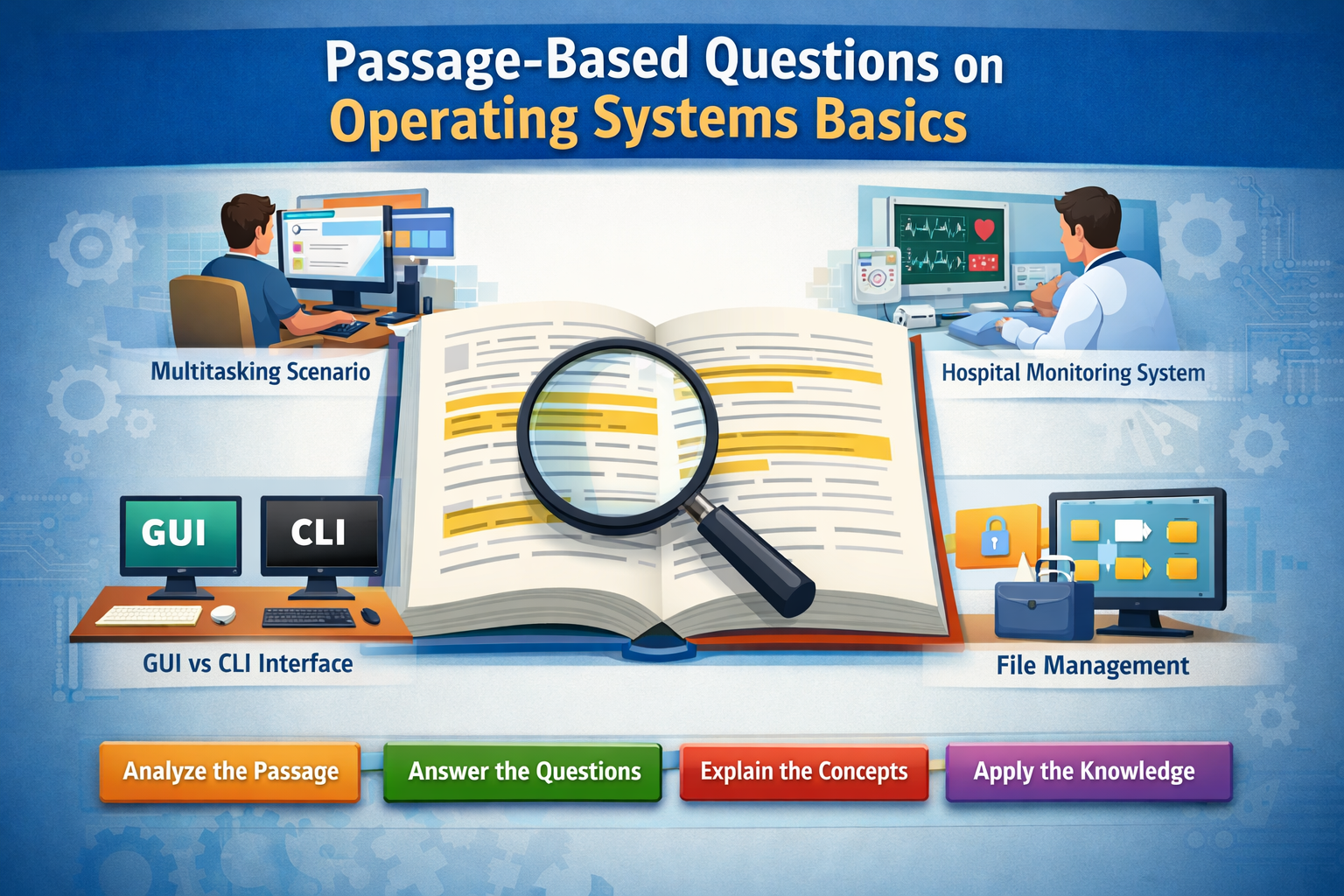
Operating Systems Basics Class 11 AI – Passage-Based Questions with Detailed Answers (3000+ Words)
Meta Description
Practice passage-based questions on Operating Systems Basics Class 11 AI with detailed answers, case studies, and exam-oriented explanations.
Introduction
The chapter Operating Systems Basics is a crucial topic in Class 11 Artificial Intelligence. It helps students understand how computers manage hardware and software efficiently. Passage-based questions from Operating Systems Basics are designed to test students’ ability to apply theoretical knowledge in real-life situations.
These questions are commonly asked in CBSE exams and competitive tests. They require careful reading, logical thinking, and conceptual clarity. Practicing passage-based questions on Operating Systems Basics improves analytical skills and helps students score high marks.
Below are multiple passage-based question sets with detailed answers.
Passage-Based Question Set 1
Passage:
Aman is working on his computer and has opened multiple applications such as a web browser, a video player, and a document editor. He switches between these applications easily. However, after opening too many programs, the system starts slowing down, and some applications stop responding.
Questions & Answers
Q1. Which feature of the operating system allows Aman to run multiple applications simultaneously?
The feature is multitasking. It allows the operating system to execute multiple programs at the same time by dividing CPU time among them. This is a key concept in Operating Systems Basics.
Q2. Why does the system slow down when too many applications are opened?
The system slows down because of limited system resources such as RAM and CPU. When too many applications are running, the operating system struggles to manage memory and processing efficiently, leading to reduced performance.
Q3. What is the role of process scheduling in this situation?
Process scheduling helps allocate CPU time among different applications. It ensures that each process gets a fair share of CPU time, improving system efficiency.
Q4. Suggest two ways to improve system performance.
- Close unnecessary applications
- Increase RAM capacity
Q5. Identify the type of operating system used here.
The system is using a multitasking operating system.
Passage-Based Question Set 2
Passage:
A hospital uses advanced computer systems to monitor patients in real time. Sensors collect data such as heart rate and oxygen levels, and the system processes this information instantly. Any delay in processing can lead to serious consequences.
Questions & Answers
Q1. Which type of operating system is used in this scenario?
A real-time operating system (RTOS) is used because it processes data instantly and provides immediate output.
Q2. Why is this type of OS important in healthcare systems?
It is important because it ensures timely processing of critical data. Delays can risk patient safety.
Q3. What is the role of the operating system in this system?
The OS manages hardware, processes data from sensors, and ensures quick output.
Q4. Name one hardware component used here.
Sensors are used to collect patient data.
Q5. Give one advantage of such systems.
They improve accuracy and speed in patient monitoring.
Passage-Based Question Set 3
Passage:
Riya uses a computer with a graphical interface where she clicks icons to open files and uses menus to perform tasks. Her friend uses a command-based system where he types commands to perform operations.
Questions & Answers
Q1. What type of interface is Riya using?
Riya is using a Graphical User Interface (GUI).
Q2. What type of interface is her friend using?
Her friend is using a Command Line Interface (CLI).
Q3. Which interface is more user-friendly and why?
GUI is more user-friendly because it uses visual elements and does not require command knowledge.
Q4. Which interface is faster?
CLI is faster because it allows direct command execution.
Q5. Give one example of each interface.
GUI: Windows
CLI: DOS
Passage-Based Question Set 4
Passage:
A company stores all its data in an organized format using folders and files. Employees can easily access, modify, and delete files. The system also ensures that data is protected from unauthorized users.
Questions & Answers
Q1. Which OS function is being described?
File management.
Q2. What is a file system?
A file system is a method used by OS to organize and store data.
Q3. How does OS ensure security?
By using authentication and access control.
Q4. Name one file system.
NTFS.
Q5. Why is file management important?
It helps in organizing and securing data.
Passage-Based Question Set 5
Passage:
A student installs many applications on his computer. Over time, the system becomes slow and starts crashing frequently. He also notices that some programs do not respond.
Questions & Answers
Q1. What could be the reason for system slowdown?
Too many applications consuming system resources.
Q2. What is the role of memory management here?
Memory management ensures efficient use of RAM.
Q3. What causes system crashes?
Insufficient memory or software conflicts.
Q4. Suggest two solutions.
- Remove unnecessary programs
- Install antivirus
Q5. What is the lesson learned?
Maintain system regularly.
Passage-Based Question Set 6
Passage:
A large organization uses servers where multiple users access the system simultaneously. The operating system ensures that each user gets fair access to resources.
Questions & Answers
Q1. Which type of OS is used?
Multi-user operating system.
Q2. What is process scheduling?
It decides CPU allocation.
Q3. How does OS ensure fairness?
Using scheduling algorithms.
Q4. Give one advantage.
Supports multiple users.
Q5. Name one example.
Linux server.
Passage-Based Question Set 7 (Advanced)
Passage:
A programmer prefers using CLI for faster execution, while a beginner prefers GUI for ease of use. Both systems perform similar tasks but differ in interaction methods.
Questions & Answers
Q1. Why does programmer prefer CLI?
It is faster and more efficient.
Q2. Why does beginner prefer GUI?
It is easy to use.
Q3. Which is better?
Depends on user needs.
Q4. What does this show?
OS supports multiple interfaces.
Q5. Importance of UI?
Helps user interaction.
Passage-Based Question Set 8 (HOTS)
Passage:
A company uses virtual memory to run large applications on systems with limited RAM. The OS uses part of the hard disk as memory.
Questions & Answers
Q1. What is virtual memory?
Use of hard disk as RAM.
Q2. Why is it used?
To run large programs.
Q3. What is disadvantage?
Slower than RAM.
Q4. Role of OS?
Manages memory.
Q5. Give example.
Running heavy software on low RAM.
Conclusion (SEO Friendly)
Passage-based questions from Operating Systems Basics are essential for exam preparation. They test real-life application of concepts such as multitasking, memory management, file systems, and user interfaces.
Practicing these passage-based questions on Operating Systems Basics improves analytical skills and helps students perform better in exams. This comprehensive set ensures complete preparation for school exams and competitive tests.
Regular revision of Operating Systems Basics through such case studies will help students gain confidence and achieve academic success.






Leave a Reply