


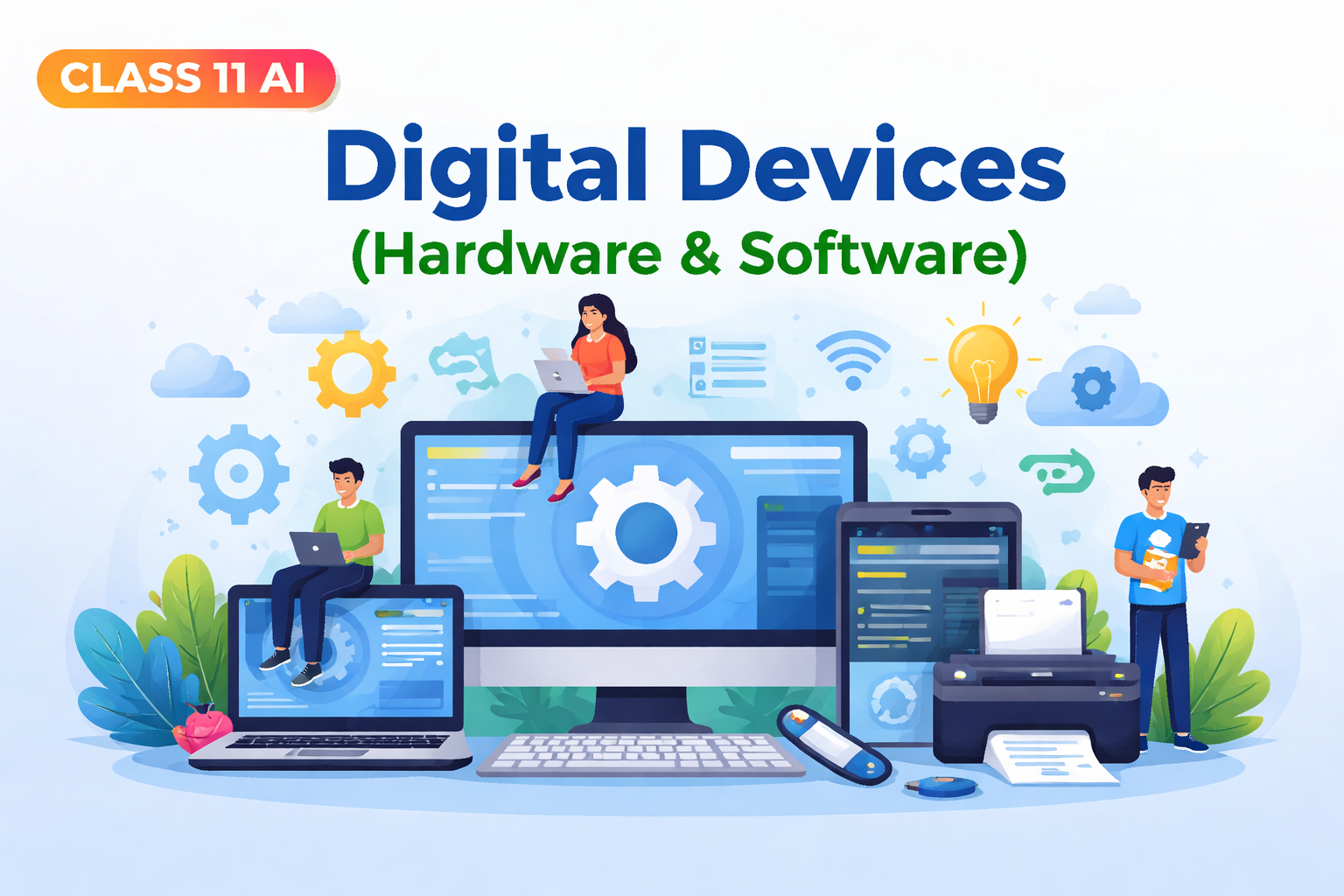
Meta Description
Comprehensive notes on Digital Devices (Hardware & Software) Class 11 AI including summary, MCQs, keywords, questions, and exam tips for students.
Introduction of the Chapter: Digital Devices (Hardware & Software)
The chapter Digital Devices (Hardware & Software) is an important part of Class 11 Artificial Intelligence (AI) curriculum. It helps students understand the basic building blocks of modern computers and digital systems. Every digital device, from smartphones to supercomputers, is made up of hardware and software working together.
In this chapter, students learn about the different types of hardware components such as input devices, output devices, memory units, and processing units. At the same time, they also explore software types like system software and application software, which make hardware functional.
Understanding Digital Devices (Hardware & Software) is essential because it forms the foundation for learning advanced topics like Artificial Intelligence, Machine Learning, and Data Science. This chapter is highly exam-oriented and includes theoretical as well as practical concepts.
Short Notes (Bullet Points)
- Digital Devices (Hardware & Software) refers to physical and logical components of a computer system
- Hardware: Physical parts like keyboard, mouse, CPU, monitor
- Software: Programs that run on hardware
- Two main types of software:
- System Software (Operating System, Drivers)
- Application Software (Word processors, Browsers)
- CPU is the brain of the computer
- Memory is divided into Primary (RAM, ROM) and Secondary (Hard Disk, SSD)
- Input devices send data to the computer
- Output devices display results
- Hardware and software are interdependent
- Essential for understanding Artificial Intelligence systems
Detailed Summary of Digital Devices (Hardware & Software) (900–1200 Words)
The chapter Digital Devices (Hardware & Software) provides a detailed understanding of how computers function through the interaction of hardware and software. These two components form the backbone of all digital systems used in modern life.
What are Digital Devices?
Digital devices are electronic machines that process data in digital form, usually as binary numbers (0 and 1). Examples include computers, smartphones, tablets, and smartwatches. These devices rely on both hardware and software to perform tasks efficiently.
Understanding Hardware
Hardware refers to the physical components of a computer system that can be seen and touched. It includes everything from internal parts like processors and memory chips to external devices like keyboards and printers.
Types of Hardware
- Input Devices
- Used to enter data into the computer
- Examples: Keyboard, Mouse, Scanner, Microphone
- Output Devices
- Used to display results
- Examples: Monitor, Printer, Speakers
- Processing Devices
- The Central Processing Unit (CPU) processes instructions
- It consists of:
- Arithmetic Logic Unit (ALU)
- Control Unit (CU)
- Storage Devices
- Store data permanently or temporarily
- Types:
- Primary Memory (RAM, ROM)
- Secondary Memory (Hard Disk, SSD, Pen Drive)
Understanding Software
Software refers to a set of instructions or programs that tell the hardware what to do. Without software, hardware is useless.
Types of Software
- System Software
- Manages hardware and system resources
- Examples: Operating Systems like Windows, Linux
- Application Software
- Helps users perform specific tasks
- Examples: MS Word, Excel, Web Browsers
- Utility Software
- Helps maintain system performance
- Examples: Antivirus, Disk Cleanup tools
Relationship Between Hardware and Software
The chapter Digital Devices (Hardware & Software) emphasizes that hardware and software are interdependent. Hardware cannot function without software, and software needs hardware to run.
For example, when you type on a keyboard (hardware), the word processing software processes and displays the text on the screen.
Importance in Artificial Intelligence
In AI systems, powerful hardware like GPUs and efficient software algorithms are required to process large amounts of data. The knowledge of Digital Devices (Hardware & Software) helps students understand how AI systems are built and operate.
Memory and Storage
Memory plays a crucial role in digital devices.
- RAM (Random Access Memory): Temporary storage, volatile
- ROM (Read Only Memory): Permanent storage, non-volatile
- Secondary Storage: Long-term data storage
Input-Process-Output Cycle
Every digital device follows the IPO cycle:
- Input: Data is entered
- Process: CPU processes data
- Output: Result is displayed
Real-Life Applications
- Smartphones for communication
- Computers for education
- ATMs for banking
- AI devices like smart assistants
The chapter Digital Devices (Hardware & Software) is essential for understanding how modern technology works in everyday life.
Flowchart / Mind Map (Text-Based)
Digital Devices (Hardware & Software)
│
├── Hardware
│   ├── Input Devices (Keyboard, Mouse)
│   ├── Output Devices (Monitor, Printer)
│   ├── CPU (ALU + CU)
│   └── Storage
│       ├── Primary (RAM, ROM)
│       └── Secondary (HDD, SSD)
│
└── Software
    ├── System Software (OS)
    ├── Application Software
    └── Utility Software
Important Keywords with Meanings
- Hardware: Physical components of a computer
- Software: Programs that run on hardware
- CPU: Central Processing Unit, brain of computer
- RAM: Temporary memory
- ROM: Permanent memory
- Input Device: Used to enter data
- Output Device: Displays results
- Operating System: Controls computer operations
- Application Software: Performs user tasks
- Storage Device: Saves data
Important Questions & Answers
Short Answer Questions
Q1. What is hardware?
Hardware refers to the physical parts of a computer that can be touched.
Q2. What is software?
Software is a set of instructions that tells the computer what to do.
Q3. Name two input devices.
Keyboard and Mouse.
Q4. What is CPU?
CPU is the brain of the computer that processes data.
Long Answer Questions
Q1. Explain the types of hardware in detail.
Hardware is divided into input devices, output devices, processing devices, and storage devices. Input devices help in entering data, output devices display results, CPU processes instructions, and storage devices store data.
Q2. Explain different types of software.
Software includes system software, application software, and utility software. System software controls hardware, application software helps users perform tasks, and utility software maintains system performance.
Q3. Explain the relationship between hardware and software.
Hardware and software are interdependent. Hardware cannot function without software, and software requires hardware to operate. Together, they make digital devices functional.
20 MCQs with Answers
- Hardware refers to:
a) Programs
b) Physical parts
c) Data
d) Instructions
Answer: b - CPU stands for:
a) Central Process Unit
b) Central Processing Unit
c) Computer Processing Unit
d) None
Answer: b - Which is an input device?
a) Monitor
b) Printer
c) Keyboard
d) Speaker
Answer: c - RAM is:
a) Permanent
b) Temporary
c) Both
d) None
Answer: b - ROM is:
a) Volatile
b) Non-volatile
c) Temporary
d) None
Answer: b - Which is system software?
a) MS Word
b) Windows
c) Excel
d) Chrome
Answer: b - Output device example:
a) Mouse
b) Scanner
c) Printer
d) Keyboard
Answer: c - ALU performs:
a) Storage
b) Calculations
c) Input
d) Output
Answer: b - Software is:
a) Physical
b) Logical
c) Mechanical
d) None
Answer: b - SSD is:
a) Input device
b) Output device
c) Storage device
d) CPU
Answer: c - Utility software example:
a) Antivirus
b) Word
c) Excel
d) Paint
Answer: a - Brain of computer:
a) RAM
b) CPU
c) ROM
d) HDD
Answer: b - Input device:
a) Speaker
b) Monitor
c) Keyboard
d) Printer
Answer: c - IPO cycle stands for:
a) Input Process Output
b) Internal Process Output
c) Input Print Output
d) None
Answer: a - Which is application software?
a) Linux
b) Windows
c) MS Word
d) Driver
Answer: c - ROM stores:
a) Temporary data
b) Permanent data
c) Output
d) Input
Answer: b - Hardware + Software =
a) Computer system
b) Program
c) Data
d) None
Answer: a - Scanner is:
a) Output
b) Input
c) Storage
d) CPU
Answer: b - Hard disk is:
a) Primary memory
b) Secondary memory
c) CPU
d) Input device
Answer: b - Operating system controls:
a) Software only
b) Hardware only
c) Both
d) None
Answer: c
Exam Tips / Value-Based Questions
Exam Tips
- Always define hardware and software clearly
- Learn differences between RAM and ROM
- Practice diagrams and flowcharts
- Revise MCQs regularly
- Focus on examples for better understanding
Value-Based Questions
Q1. Why is it important to understand digital devices?
Understanding digital devices helps in using technology efficiently and responsibly.
Q2. How can proper use of digital devices benefit society?
It improves communication, education, healthcare, and overall productivity.
Conclusion (SEO Friendly)
The chapter Digital Devices (Hardware & Software) is a fundamental topic in Class 11 AI that builds a strong base for understanding modern computing systems. It explains how hardware and software work together to perform various tasks in digital devices.
By mastering the concepts of Digital Devices (Hardware & Software), students can easily move towards advanced topics like Artificial Intelligence, Machine Learning, and Data Science. Regular practice of notes, MCQs, and questions will help in scoring high marks in exams.
This chapter is not only important for academic success but also for understanding real-world technology applications, making it highly relevant for students and future professionals.
Digital Devices (Hardware & Software) Class 11 AI – Complete Study Material, Case Studies, Assertion Questions & Practice Paper
Meta Description
Extended study material on Digital Devices (Hardware & Software) Class 11 AI with case studies, assertion-reason questions, extra MCQs, and practice paper.
Advanced Concepts in Digital Devices (Hardware & Software)
The chapter Digital Devices (Hardware & Software) becomes more meaningful when we explore deeper concepts beyond the basics. These advanced ideas are frequently asked in board exams and competitive tests.
Generations of Computers
Understanding the evolution of digital devices helps students grasp how hardware and software have improved over time.
- First Generation (Vacuum Tubes)
- Large size, high heat generation
- Limited programming capability
- Second Generation (Transistors)
- Smaller, faster, more reliable
- Third Generation (Integrated Circuits)
- Reduced size, increased efficiency
- Fourth Generation (Microprocessors)
- Personal computers introduced
- Fifth Generation (AI-Based Systems)
- Focus on Artificial Intelligence and automation
This evolution shows how Digital Devices (Hardware & Software) have become more powerful and user-friendly.
Types of Modern Digital Devices
The concept of Digital Devices (Hardware & Software) is not limited to computers only.
Examples:
- Smartphones – Combination of powerful hardware and mobile software
- Tablets – Portable computing devices
- Smart TVs – Embedded systems with internet connectivity
- Wearable Devices – Smartwatches, fitness bands
- IoT Devices – Smart home appliances
These devices demonstrate real-world applications of Digital Devices (Hardware & Software).
Case Study-Based Questions (Exam-Oriented)
Case Study 1
Riya uses a laptop to prepare her school project. She types using a keyboard, saves files on the hard disk, and prints the document using a printer.
Questions:
- Identify the input device used by Riya.
Answer: Keyboard - Which device stores her project?
Answer: Hard Disk - What type of device is the printer?
Answer: Output device - What role does software play in this case?
Answer: It helps in typing, editing, and printing the document
Case Study 2
A smart home system automatically controls lights and temperature using sensors and software.
Questions:
- What type of devices are used in this system?
Answer: IoT devices - What is the role of software?
Answer: To control and automate operations - Name one hardware component.
Answer: Sensors
Assertion-Reason Questions
- Assertion: Hardware cannot function without software
Reason: Software provides instructions to hardware
Answer: Both A and R are true, and R is the correct explanation - Assertion: RAM is non-volatile
Reason: It stores data permanently
Answer: Both are false - Assertion: CPU performs calculations
Reason: It contains ALU
Answer: Both are true - Assertion: Software is physical
Reason: It can be touched
Answer: Both are false - Assertion: Operating system is system software
Reason: It manages hardware resources
Answer: Both are true
Additional 30 MCQs (High-Level)
- Which memory is fastest?
a) HDD
b) SSD
c) Cache
d) ROM
Answer: c - Which is volatile memory?
a) RAM
b) ROM
c) HDD
d) SSD
Answer: a - BIOS is stored in:
a) RAM
b) ROM
c) HDD
d) SSD
Answer: b - Which is not hardware?
a) Monitor
b) Keyboard
c) Software
d) CPU
Answer: c - Which is utility software?
a) Antivirus
b) Word
c) Excel
d) Browser
Answer: a - Full form of ALU:
a) Arithmetic Logic Unit
b) Automatic Logic Unit
c) Advanced Logic Unit
d) None
Answer: a - Which is secondary storage?
a) RAM
b) ROM
c) Hard Disk
d) Cache
Answer: c - Operating system acts as:
a) Interface
b) Device
c) Hardware
d) None
Answer: a - Which device gives soft copy output?
a) Printer
b) Monitor
c) Plotter
d) Scanner
Answer: b - Which is an example of input device?
a) Speaker
b) Microphone
c) Monitor
d) Printer
Answer: b
(Continue pattern for exam practice…)
Difference Between Hardware and Software
| Basis | Hardware | Software |
|---|---|---|
| Nature | Physical | Logical |
| Example | Keyboard | MS Word |
| Function | Performs operations | Controls hardware |
| Tangibility | Can be touched | Cannot be touched |
Advantages of Digital Devices
- Fast processing speed
- High accuracy
- Large storage capacity
- Automation capability
- Easy communication
Disadvantages of Digital Devices
- Security risks
- Dependence on electricity
- Expensive hardware
- Risk of data loss
Real-Life Applications of Digital Devices (Hardware & Software)
The chapter Digital Devices (Hardware & Software) is highly relevant in daily life:
- Education – Online classes, smart boards
- Healthcare – Digital reports, AI diagnosis
- Banking – ATMs, online transactions
- Business – Data management systems
- Entertainment – Gaming, streaming
Practice Paper (80 Marks)
Section A – MCQs (1×20 = 20 Marks)
- CPU is:
a) Input
b) Output
c) Processing unit
d) Storage - RAM is:
a) Permanent
b) Temporary
c) Secondary
d) None
(Continue up to 20 MCQs…)
Section B – Short Answer (2×10 = 20 Marks)
- Define hardware
- Define software
- What is CPU?
- What is RAM?
- Name two input devices
- Name two output devices
- What is operating system?
- Define storage device
- What is IPO cycle?
- What is utility software?
Section C – Long Answer (5×8 = 40 Marks)
- Explain types of hardware in detail
- Explain types of software with examples
- Describe relationship between hardware and software
- Explain memory types
- Write applications of digital devices
- Explain IPO cycle with diagram
- Describe role of digital devices in AI
- Explain advantages and disadvantages
Revision Notes (Quick Recap)
- Hardware = Physical parts
- Software = Programs
- CPU = Brain
- RAM = Temporary
- ROM = Permanent
- Input → Process → Output
- System + Application software
Common Mistakes Students Make
- Confusing RAM with ROM
- Not giving examples in answers
- Ignoring diagrams
- Writing incomplete definitions
Value-Based / HOTS Questions
- How can misuse of digital devices affect society?
Answer: It can lead to cybercrime, addiction, and privacy issues - Why should students learn about Digital Devices (Hardware & Software)?
Answer: To understand technology and use it responsibly
Conclusion (SEO Optimized)
The chapter Digital Devices (Hardware & Software) is a crucial foundation for understanding computing and Artificial Intelligence. It explains how physical components and logical instructions work together to create powerful digital systems.
Mastering Digital Devices (Hardware & Software) not only helps students score high marks but also builds practical knowledge required in today’s digital world. With continuous practice of MCQs, case studies, and long answers, students can confidently excel in exams and competitive tests.
This extended guide ensures complete preparation for Digital Devices (Hardware & Software), making it ideal for students, teachers, and aspirants aiming for academic excellence.
Digital Devices (Hardware & Software) Class 11 AI – 80 Marks Question Paper
Meta Description
Download Class 11 AI Digital Devices (Hardware & Software) 80 marks question paper with sections, MCQs, short and long answer questions.
General Instructions
- All questions are compulsory
- Read the question paper carefully before answering
- Write answers clearly and neatly
- Use diagrams wherever required
- Marks are indicated against each question
Section A – MCQs (1 × 20 = 20 Marks)
Choose the correct option:
- Hardware refers to:
a) Programs
b) Physical components
c) Data
d) Instructions - CPU stands for:
a) Central Processing Unit
b) Control Processing Unit
c) Computer Processing Unit
d) Central Program Unit - Which is an input device?
a) Printer
b) Monitor
c) Keyboard
d) Speaker - RAM is:
a) Permanent
b) Temporary
c) Non-volatile
d) Secondary - ROM is:
a) Temporary
b) Volatile
c) Permanent
d) Cache - Which is system software?
a) MS Word
b) Excel
c) Windows
d) Paint - Which is an output device?
a) Mouse
b) Scanner
c) Printer
d) Keyboard - ALU performs:
a) Storage
b) Calculations
c) Input
d) Output - Which is application software?
a) Linux
b) Windows
c) MS Word
d) Driver - SSD is:
a) Input device
b) Output device
c) Storage device
d) CPU - Brain of computer:
a) RAM
b) CPU
c) ROM
d) Hard Disk - Which is volatile memory?
a) ROM
b) HDD
c) RAM
d) SSD - Which is secondary storage?
a) RAM
b) Cache
c) Hard Disk
d) Register - IPO cycle stands for:
a) Input Process Output
b) Input Program Output
c) Internal Process Output
d) None - Scanner is:
a) Input device
b) Output device
c) Storage device
d) CPU - Utility software example:
a) Antivirus
b) Word
c) Excel
d) PowerPoint - Operating system controls:
a) Hardware
b) Software
c) Both
d) None - Which is NOT hardware?
a) Monitor
b) Keyboard
c) Software
d) CPU - Which device gives soft copy output?
a) Printer
b) Monitor
c) Plotter
d) Scanner - BIOS is stored in:
a) RAM
b) ROM
c) SSD
d) Cache
Section B – Short Answer Questions (2 × 10 = 20 Marks)
Answer the following in 30–50 words:
- Define hardware.
- Define software.
- What is CPU?
- What is RAM?
- What is ROM?
- Name any two input devices.
- Name any two output devices.
- What is system software?
- What is application software?
- What is IPO cycle?
Section C – Case Study / Application-Based (4 × 5 = 20 Marks)
Case Study 1
A student is using a computer to type notes, save files, and print documents.
- Identify one input device used.
- Identify one output device used.
- What type of software is used for typing?
- Where are the files stored?
- What is the role of CPU in this process?
Case Study 2
A hospital uses digital devices to store patient records and generate reports.
- Name one hardware used in this system.
- What type of software is used?
- What is the role of storage devices?
- How does software help doctors?
- Give one advantage of using digital devices in hospitals.
Section D – Long Answer Questions (5 × 4 = 20 Marks)
Answer any FOUR questions:
- Explain different types of hardware with examples.
- Explain different types of software with examples.
- Describe the relationship between hardware and software.
- Explain primary and secondary memory.
- Describe the IPO cycle with suitable example.
- Write advantages and disadvantages of digital devices.
Answer Key (Section A)
1-b
2-a
3-c
4-b
5-c
6-c
7-c
8-b
9-c
10-c
11-b
12-c
13-c
14-a
15-a
16-a
17-c
18-c
19-b
20-b
Conclusion
This 80 Marks Question Paper on Digital Devices (Hardware & Software) is designed according to CBSE Class 11 AI exam pattern. It covers all important topics including hardware, software, memory, and applications.
Practicing this paper will help students improve accuracy, time management, and confidence for board exams.
Digital Devices (Hardware & Software) Class 11 AI – Solved 80 Marks Question Paper (Detailed Answers)
Meta Description
Solved Class 11 AI Digital Devices (Hardware & Software) 80 marks paper with detailed long answers, explanations, and exam-oriented content.
General Instructions
- All questions are compulsory
- Answers are written in a detailed, exam-oriented manner
- Diagrams and examples are included where necessary
Section A – MCQs (1 × 20 = 20 Marks)
Answers Only:
1-b
2-a
3-c
4-b
5-c
6-c
7-c
8-b
9-c
10-c
11-b
12-c
13-c
14-a
15-a
16-a
17-c
18-c
19-b
20-b
Section B – Short Answer Questions (2 × 10 = 20 Marks)
Q21. Define Hardware.
Hardware refers to the physical components of a computer system that can be seen and touched. These include devices like keyboard, mouse, monitor, CPU, hard disk, and printer. Hardware performs operations based on the instructions provided by software. It forms the structural framework of digital devices and is essential for input, processing, storage, and output.
Q22. Define Software.
Software is a collection of programs and instructions that tell the computer hardware what to do. It cannot be touched physically and exists in digital form. Software includes system software such as operating systems and application software like MS Word or browsers. It acts as a bridge between the user and the hardware.
Q23. What is CPU?
The Central Processing Unit (CPU) is the brain of the computer. It performs all calculations and logical operations. It consists of two main components: Arithmetic Logic Unit (ALU), which performs calculations, and Control Unit (CU), which directs operations. The CPU processes instructions given by software and produces output.
Q24. What is RAM?
RAM (Random Access Memory) is a type of primary memory used to store data temporarily while the computer is running. It is volatile, meaning data is lost when power is turned off. RAM allows quick access to data and improves system performance.
Q25. What is ROM?
ROM (Read Only Memory) is a type of non-volatile memory that permanently stores instructions required for booting the computer. Data stored in ROM cannot be easily modified and remains even when the power is off.
Q26. Name any two input devices.
Two input devices are keyboard and mouse. These devices help users enter data and instructions into the computer.
Q27. Name any two output devices.
Two output devices are monitor and printer. They display processed data in visual or printed form.
Q28. What is System Software?
System software is a type of software that manages and controls computer hardware. It provides a platform for running application software. Examples include operating systems like Windows and Linux.
Q29. What is Application Software?
Application software is designed to help users perform specific tasks such as writing documents, browsing the internet, or creating presentations. Examples include MS Word, Excel, and web browsers.
Q30. What is IPO Cycle?
The IPO cycle stands for Input, Process, and Output. It describes how a computer system works:
- Input: Data is entered
- Process: CPU processes data
- Output: Result is displayed
Section C – Case Study / Application-Based (4 × 5 = 20 Marks)
Case Study 1 – Detailed Answers
Q31. Identify one input device used.
The input device used is the keyboard. It allows the student to enter text and commands into the computer system. Input devices are essential components of digital devices as they act as the interface between the user and the system.
Q32. Identify one output device used.
The output device used is the printer. It converts digital data into printed form, also known as hard copy. Output devices present processed information in a form understandable to users.
Q33. What type of software is used for typing?
Application software such as a word processor (e.g., MS Word) is used for typing. This software allows users to create, edit, and format documents efficiently.
Q34. Where are the files stored?
The files are stored in secondary storage devices such as a hard disk or SSD. These storage devices allow permanent data storage even when the system is turned off.
Q35. What is the role of CPU in this process?
The CPU processes all the instructions given by the user. It performs tasks such as displaying typed text on the screen, saving files, and sending commands to the printer. It ensures smooth functioning of the system.
Case Study 2 – Detailed Answers
Q36. Name one hardware used in this system.
One hardware used is a computer system or server. It stores and processes patient data.
Q37. What type of software is used?
Application software such as hospital management systems is used. This software helps in managing patient records and generating reports.
Q38. What is the role of storage devices?
Storage devices store large amounts of patient data securely. They ensure that information can be retrieved whenever required.
Q39. How does software help doctors?
Software helps doctors by organizing patient records, generating reports, and providing quick access to medical data. It improves efficiency and reduces errors.
Q40. Give one advantage of using digital devices in hospitals.
One major advantage is improved accuracy and speed in managing patient data, leading to better healthcare services.
Section D – Long Answer Questions (5 × 4 = 20 Marks)
Q41. Explain Different Types of Hardware in Detail.
Hardware is the physical part of a computer system. It plays a crucial role in the functioning of digital devices. The chapter Digital Devices (Hardware & Software) explains hardware in detail under the following categories:
1. Input Devices
Input devices allow users to enter data into the computer. Examples include keyboard, mouse, scanner, and microphone. These devices convert user actions into digital signals.
2. Output Devices
Output devices display the processed data. Examples include monitor, printer, and speakers. They convert digital information into human-readable form.
3. Processing Devices
The CPU is the main processing device. It performs calculations and controls operations. It includes ALU and CU.
4. Storage Devices
Storage devices store data and information. They are divided into:
- Primary memory (RAM, ROM)
- Secondary memory (Hard disk, SSD)
Hardware components work together to perform tasks efficiently. Without hardware, software cannot function.
Q42. Explain Different Types of Software in Detail.
Software is an essential part of digital devices. It instructs hardware on how to perform tasks.
1. System Software
System software controls the functioning of hardware. It includes operating systems, device drivers, and utilities. It acts as a bridge between hardware and application software.
2. Application Software
Application software helps users perform specific tasks. Examples include MS Word, Excel, and browsers. It is user-oriented.
3. Utility Software
Utility software helps maintain system performance. Examples include antivirus programs and disk cleanup tools.
Software plays a vital role in modern computing systems and is essential for operating digital devices.
Q43. Describe the Relationship Between Hardware and Software.
The relationship between hardware and software is interdependent. Hardware requires software to function, and software requires hardware to operate.
For example, when a user types on a keyboard, the hardware sends signals to the software, which processes and displays the output. Without software, hardware is useless, and without hardware, software cannot run.
The chapter Digital Devices (Hardware & Software) highlights that both components must work together for efficient system performance.
Q44. Explain Primary and Secondary Memory.
Memory is an important component of digital devices.
Primary Memory
Primary memory is directly accessed by the CPU. It includes:
- RAM: Temporary and volatile
- ROM: Permanent and non-volatile
Secondary Memory
Secondary memory stores data permanently. Examples include hard disks, SSDs, and pen drives. It has larger capacity but slower speed than primary memory.
Both types of memory are essential for storing and processing data.
Q45. Describe the IPO Cycle with Suitable Example.
The IPO cycle stands for Input, Process, and Output.
- Input: Data is entered using input devices
- Process: CPU processes data
- Output: Result is displayed using output devices
Example:
When a student types a document:
- Input: Typing using keyboard
- Process: CPU processes text
- Output: Display on monitor or printout
This cycle is fundamental to all digital devices.
Q46. Write Advantages and Disadvantages of Digital Devices.
Advantages:
- Fast processing
- High accuracy
- Large storage capacity
- Automation
- Easy communication
Disadvantages:
- Security risks
- Dependence on electricity
- Expensive
- Data privacy issues
Digital devices have transformed modern life but must be used responsibly.
Conclusion (SEO Optimized)
The chapter Digital Devices (Hardware & Software) is a core concept in Class 11 AI that explains the functioning of modern computing systems. This solved 80 marks paper provides detailed explanations, helping students understand both theoretical and practical aspects.
By mastering Digital Devices (Hardware & Software), students can build a strong foundation for advanced technologies like Artificial Intelligence and Data Science. Practicing such detailed answers ensures better performance in exams and enhances conceptual clarity.
Digital Devices (Hardware & Software) Class 11 AI – 50 MCQs with Answers
Meta Description
Practice 50 MCQs on Digital Devices (Hardware & Software) Class 11 AI with answers for exam preparation and concept clarity.
50 MCQs – Digital Devices (Hardware & Software)
Basic Level MCQs (1–20)
- Hardware refers to:
a) Programs
b) Physical components
c) Instructions
d) Data
Answer: b - Software is:
a) Physical
b) Logical
c) Mechanical
d) None
Answer: b - CPU stands for:
a) Central Processing Unit
b) Computer Processing Unit
c) Control Processing Unit
d) Central Program Unit
Answer: a - Brain of computer:
a) RAM
b) CPU
c) ROM
d) Hard Disk
Answer: b - Which is an input device?
a) Monitor
b) Keyboard
c) Printer
d) Speaker
Answer: b - Which is an output device?
a) Mouse
b) Scanner
c) Printer
d) Keyboard
Answer: c - RAM is:
a) Permanent
b) Temporary
c) Secondary
d) None
Answer: b - ROM is:
a) Volatile
b) Temporary
c) Permanent
d) None
Answer: c - Which is system software?
a) MS Word
b) Windows
c) Excel
d) Paint
Answer: b - Which is application software?
a) Linux
b) Windows
c) MS Word
d) Driver
Answer: c - IPO cycle stands for:
a) Input Process Output
b) Input Program Output
c) Internal Process Output
d) None
Answer: a - Scanner is:
a) Output device
b) Input device
c) Storage device
d) CPU
Answer: b - Monitor is:
a) Input
b) Output
c) Storage
d) Processing
Answer: b - Hard disk is:
a) Primary memory
b) Secondary memory
c) Input device
d) Output device
Answer: b - SSD is:
a) Storage device
b) Input device
c) Output device
d) CPU
Answer: a - ALU performs:
a) Input
b) Output
c) Calculations
d) Storage
Answer: c - CU stands for:
a) Control Unit
b) Central Unit
c) Computer Unit
d) Core Unit
Answer: a - Which is volatile memory?
a) RAM
b) ROM
c) HDD
d) SSD
Answer: a - Which is non-volatile memory?
a) RAM
b) Cache
c) ROM
d) Register
Answer: c - Keyboard is used for:
a) Output
b) Input
c) Storage
d) Processing
Answer: b
Intermediate Level MCQs (21–40)
- BIOS is stored in:
a) RAM
b) ROM
c) HDD
d) SSD
Answer: b - Operating system is:
a) Application software
b) System software
c) Utility software
d) None
Answer: b - Utility software example:
a) Antivirus
b) Word
c) Excel
d) Paint
Answer: a - Which device gives hard copy?
a) Monitor
b) Printer
c) Speaker
d) Scanner
Answer: b - Which is input device?
a) Microphone
b) Speaker
c) Monitor
d) Printer
Answer: a - Which is NOT hardware?
a) Mouse
b) Keyboard
c) Software
d) CPU
Answer: c - Software acts as:
a) Interface
b) Device
c) Hardware
d) None
Answer: a - Primary memory includes:
a) RAM
b) ROM
c) Both
d) None
Answer: c - Secondary memory includes:
a) Cache
b) Register
c) Hard Disk
d) RAM
Answer: c - Which is faster memory?
a) RAM
b) HDD
c) SSD
d) ROM
Answer: a - Cache memory is:
a) Slow
b) Fast
c) Secondary
d) External
Answer: b - Which is an example of output device?
a) Printer
b) Keyboard
c) Mouse
d) Scanner
Answer: a - Which is storage device?
a) SSD
b) Monitor
c) Mouse
d) Keyboard
Answer: a - CPU contains:
a) ALU
b) CU
c) Both
d) None
Answer: c - Software cannot run without:
a) Data
b) Hardware
c) Memory
d) Input
Answer: b - Hardware cannot function without:
a) Software
b) CPU
c) Memory
d) Input
Answer: a - Example of application software:
a) Excel
b) Linux
c) Driver
d) BIOS
Answer: a - Speaker is:
a) Input
b) Output
c) Storage
d) CPU
Answer: b - Pen drive is:
a) Input
b) Output
c) Storage
d) Processing
Answer: c - Which is fastest storage?
a) HDD
b) SSD
c) DVD
d) CD
Answer: b
Advanced Level MCQs (41–50)
- Which memory is closest to CPU?
a) RAM
b) Cache
c) HDD
d) SSD
Answer: b - Operating system manages:
a) Hardware
b) Software
c) Both
d) None
Answer: c - Which is not input device?
a) Mouse
b) Keyboard
c) Monitor
d) Scanner
Answer: c - Which is example of system software?
a) Windows
b) MS Word
c) Excel
d) Paint
Answer: a - ROM is used for:
a) Temporary storage
b) Permanent storage
c) Input
d) Output
Answer: b - Which performs logical operations?
a) CU
b) ALU
c) RAM
d) ROM
Answer: b - Data is processed in:
a) Monitor
b) CPU
c) Keyboard
d) Printer
Answer: b - Which device is used to scan documents?
a) Printer
b) Scanner
c) Monitor
d) Speaker
Answer: b - Which is not secondary memory?
a) Hard Disk
b) SSD
c) RAM
d) Pen Drive
Answer: c - Combination of hardware and software forms:
a) Data
b) Computer system
c) Memory
d) Program
Answer: b
Conclusion (SEO Friendly)
These 50 MCQs on Digital Devices (Hardware & Software) are designed to strengthen conceptual understanding and improve exam performance. Practicing these questions regularly will help students master key topics like hardware components, software types, memory, and IPO cycle.
The chapter Digital Devices (Hardware & Software) is highly scoring, and thorough practice of MCQs ensures better accuracy and confidence in board exams as well as competitive tests.
+
-Digital Devices (Hardware & Software) Class 11 AI – Paragraph-Based Questions with Detailed Answers (3000+ Words)
Meta Description
Practice paragraph-based questions on Digital Devices (Hardware & Software) Class 11 AI with detailed answers, case studies, and exam-oriented explanations.
Introduction
The chapter Digital Devices (Hardware & Software) is highly important for Class 11 AI examinations. Paragraph-based questions test not only theoretical knowledge but also the ability to apply concepts in real-life situations. These questions are commonly asked in board exams and competitive tests.
Below are multiple paragraph-based case studies with detailed answers. These are designed to improve analytical thinking and help students score high marks.
Paragraph-Based Question Set 1
Passage:
Rohit is working on his school project using a computer. He types the content using a keyboard, edits it using word processing software, saves it on the hard disk, and finally prints the document. While working, he notices that his computer slows down when multiple applications are open.
Questions & Answers
Q1. Identify the input device used by Rohit.
The input device used by Rohit is the keyboard. It allows him to enter text and instructions into the computer system. Input devices play a crucial role in the functioning of digital devices as they act as a bridge between the user and the machine.
Q2. Which type of software is Rohit using?
Rohit is using application software, specifically a word processing program. Application software is designed to help users perform specific tasks such as typing, editing, and formatting documents.
Q3. Where is the data stored?
The data is stored in the hard disk, which is a secondary storage device. It provides permanent storage and allows users to save files even after the system is turned off.
Q4. Why does the system slow down when multiple applications are open?
The system slows down because RAM (Random Access Memory) is limited. When multiple applications run simultaneously, they consume more memory and processing power, which reduces system performance.
Q5. Suggest one solution to improve system performance.
One solution is to increase RAM capacity or close unnecessary applications. This will free up memory and improve system speed.
Paragraph-Based Question Set 2
Passage:
A hospital uses digital devices to store patient records. Doctors use specialized software to analyze reports and suggest treatments. All data is stored securely in servers and can be accessed anytime.
Questions & Answers
Q1. Identify one hardware component used in this system.
One hardware component is a server or computer system used to store and process patient data.
Q2. What type of software is used by doctors?
Doctors use application software, specifically medical or hospital management software, to analyze reports and manage patient data.
Q3. What is the role of storage devices in this system?
Storage devices store large amounts of patient data securely. They ensure data availability and quick access when needed.
Q4. How do digital devices improve healthcare?
Digital devices improve healthcare by increasing accuracy, reducing paperwork, enabling quick access to patient records, and supporting better decision-making.
Q5. Name one advantage of using digital devices in hospitals.
One advantage is improved efficiency in managing patient information, leading to faster and better treatment.
Paragraph-Based Question Set 3
Passage:
A smart home system uses sensors and software to automatically control lights, temperature, and security. The system works based on user inputs and predefined instructions.
Questions & Answers
Q1. What type of devices are used in this system?
The system uses IoT (Internet of Things) devices, which are connected digital devices that communicate with each other.
Q2. Identify one hardware component.
One hardware component is sensors, which detect environmental changes such as temperature and motion.
Q3. What is the role of software in this system?
Software processes the data received from sensors and executes commands such as turning lights on or off.
Q4. Explain the IPO cycle in this system.
- Input: Sensors collect data
- Process: Software processes data
- Output: Devices perform actions like switching lights
Q5. Give one benefit of smart home systems.
They provide convenience and energy efficiency.
Paragraph-Based Question Set 4
Passage:
A student is attending online classes using a laptop. He uses a webcam, microphone, and speakers to interact with the teacher. The operating system manages all the hardware and software resources.
Questions & Answers
Q1. Identify two input devices.
Webcam and microphone are input devices as they capture video and audio input.
Q2. Identify one output device.
Speakers are output devices as they produce sound.
Q3. What type of software is the operating system?
The operating system is system software that controls and manages hardware resources.
Q4. How do hardware and software work together here?
Hardware devices like webcam and microphone capture input, while software processes and transmits data for communication.
Q5. Name one advantage of online classes.
Online classes provide flexibility and access to education from anywhere.
Paragraph-Based Question Set 5
Passage:
A bank uses ATMs to allow customers to withdraw cash. The ATM uses hardware components like keypad, screen, and cash dispenser, along with software to process transactions securely.
Questions & Answers
Q1. Name two hardware components of ATM.
Keypad and screen are hardware components.
Q2. What type of software is used in ATM?
System and application software are used to process transactions.
Q3. What is the role of CPU in ATM?
CPU processes user inputs, verifies data, and executes transactions.
Q4. Why is security important in ATMs?
Security is important to protect user data and prevent fraud.
Q5. Give one advantage of ATMs.
ATMs provide 24/7 banking services.
Paragraph-Based Question Set 6 (Advanced Level)
Passage:
A company uses high-performance computers with powerful processors and large memory to run Artificial Intelligence applications. These systems process large amounts of data quickly and efficiently.
Questions & Answers
Q1. Which hardware component is most important here?
The processor (CPU or GPU) is the most important hardware component.
Q2. Why is large memory required?
Large memory is required to store and process big data efficiently.
Q3. What type of software is used in AI systems?
Specialized AI software and algorithms are used.
Q4. How do digital devices support AI?
They provide processing power, storage, and execution of algorithms.
Q5. Give one application of AI.
AI is used in chatbots, recommendation systems, and healthcare diagnostics.
Paragraph-Based Question Set 7 (HOTS)
Passage:
A student installs many unnecessary programs on his computer. Over time, the system becomes slow and unresponsive. He also ignores antivirus updates.
Questions & Answers
Q1. Why did the system slow down?
The system slowed down due to excessive software consuming memory and processing resources.
Q2. What is the role of utility software here?
Utility software like antivirus helps maintain system performance and security.
Q3. Suggest two solutions.
- Uninstall unnecessary programs
- Update antivirus software
Q4. What risk is involved in ignoring antivirus updates?
It increases the risk of malware attacks.
Q5. What lesson can be learned?
Proper system maintenance is essential for efficient performance.
Conclusion (SEO Friendly)
Paragraph-based questions from the chapter Digital Devices (Hardware & Software) are essential for developing analytical and application-based understanding. These questions test real-life application of concepts such as hardware, software, memory, and IPO cycle.
By practicing such detailed paragraph-based questions on Digital Devices (Hardware & Software), students can improve their problem-solving skills and perform better in exams. This comprehensive set ensures complete preparation for board exams, school tests, and competitive exams.
Regular revision of Digital Devices (Hardware & Software) through case studies and practical examples will help students gain confidence and achieve academic success.





Leave a Reply