


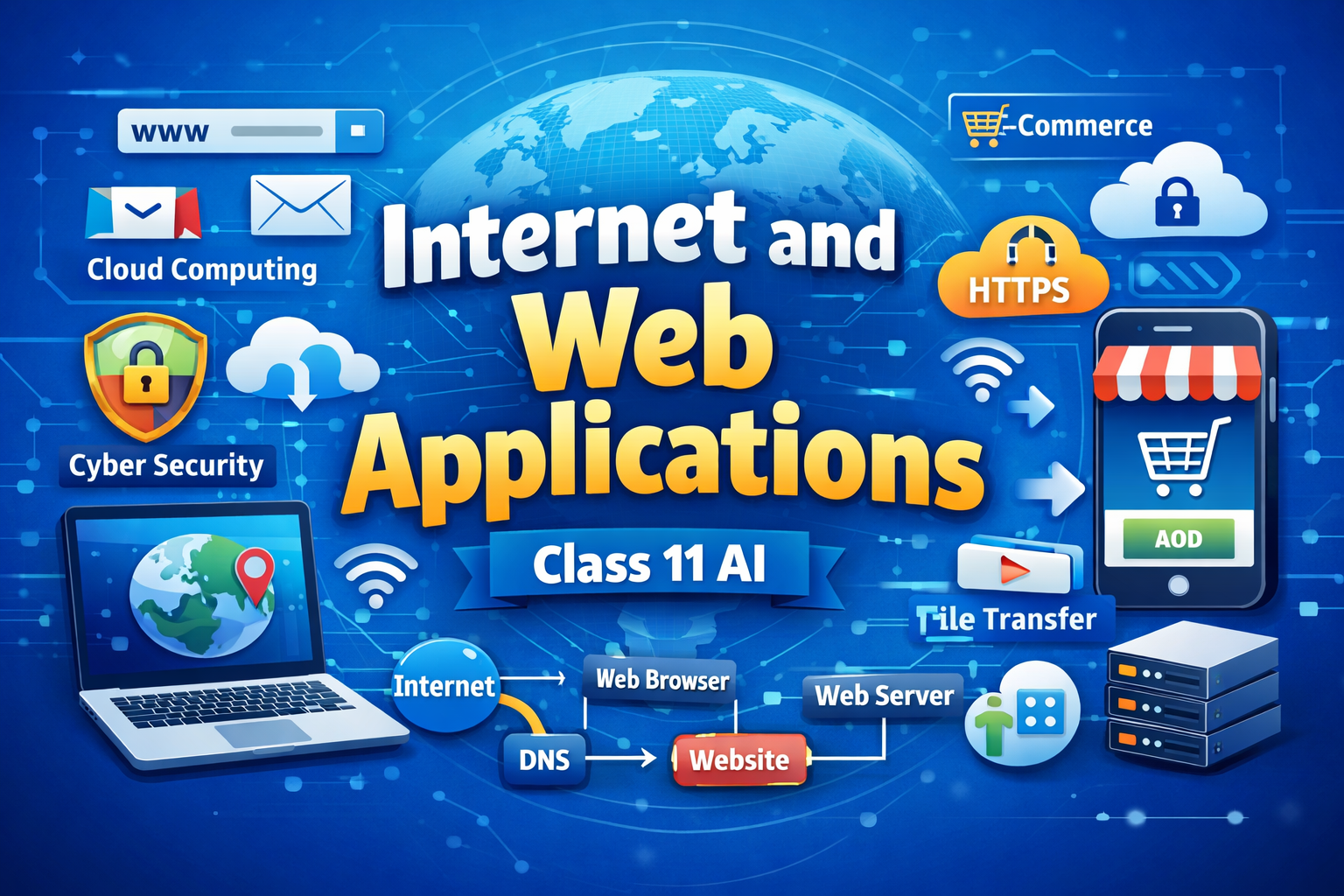
Meta Description
Complete Class 11 AI Internet and Web Applications notes, summary, MCQs, questions, and keywords for exam preparation and concept clarity.
Introduction of the Chapter: Internet and Web Applications
The chapter Internet and Web Applications is an essential part of Class 11 Artificial Intelligence curriculum. It helps students understand how the internet works, how web applications function, and how digital communication takes place in the modern world.
In today’s technology-driven era, the Internet and Web Applications play a vital role in education, business, communication, and entertainment. From sending emails to browsing websites and using online tools, everything depends on the internet.
This chapter Internet and Web Applications explains key concepts such as internet services, web browsers, websites, web applications, and cybersecurity. Understanding these concepts is crucial for students to develop digital literacy and prepare for exams as well as real-world applications.
Short Notes (Bullet Points)
- Internet and Web Applications deals with internet functioning and services
- Internet is a global network of interconnected computers
- Web applications run on web browsers
- Common internet services:
- WWW (World Wide Web)
- FTP (File Transfer Protocol)
- Web browsers: Chrome, Firefox, Edge
- Websites are collections of web pages
- URL identifies web resources
- HTTP/HTTPS protocols enable communication
- Cybersecurity ensures safe internet usage
- Web applications examples: Google Docs, Gmail
Detailed Summary of Internet and Web Applications (900–1200 Words)
The chapter Internet and Web Applications provides a deep understanding of how the internet works and how web-based services are used in daily life. The internet is a global network that connects millions of computers worldwide, allowing users to share information and communicate efficiently.
What is Internet?
The internet is a network of networks that connects devices globally. It allows data exchange using standardized protocols such as TCP/IP. The chapter Internet and Web Applications explains how the internet enables services like email, browsing, and file sharing.
What is World Wide Web (WWW)?
The World Wide Web (WWW) is a system of interlinked web pages accessed through the internet. It uses HTTP or HTTPS protocols to transfer data between servers and clients. Websites are hosted on web servers and accessed using web browsers.
Web Browsers
Web browsers are software applications used to access websites. Examples include:
- Google Chrome
- Mozilla Firefox
- Microsoft Edge
Browsers interpret HTML code and display web pages in a user-friendly format.
Websites and Web Pages
A website is a collection of related web pages. Each web page contains text, images, videos, and links. Websites are identified by a unique address called URL (Uniform Resource Locator).
URL Structure
A URL consists of:
- Protocol (http/https)
- Domain name
- Path
For example: https://www.example.com
Internet Services
The chapter Internet and Web Applications highlights various internet services:
1. Email
Email allows users to send and receive messages electronically. It is fast, reliable, and widely used.
2. File Transfer Protocol (FTP)
FTP is used to transfer files between computers over the internet.
3. World Wide Web
WWW provides access to websites and online resources.
4. Instant Messaging
Allows real-time communication between users.
Web Applications
Web applications are software programs that run on web browsers. They do not require installation and can be accessed online.
Examples include:
- Google Docs
- Gmail
- Online banking systems
Advantages of Web Applications
- Accessible from anywhere
- No installation required
- Automatic updates
- Platform-independent
Disadvantages of Web Applications
- Requires internet connection
- Security risks
- Performance depends on network speed
Internet Safety and Security
The chapter Internet and Web Applications emphasizes the importance of cybersecurity:
- Use strong passwords
- Avoid suspicious links
- Install antivirus software
- Use secure websites (HTTPS)
Role in Artificial Intelligence
Internet and web applications support AI by providing platforms for data collection, processing, and cloud computing. AI applications often rely on web-based systems.
Real-Life Applications
- Online education platforms
- E-commerce websites
- Social media platforms
- Digital banking
The chapter Internet and Web Applications helps students understand how digital communication works and prepares them for modern technological environments.
Flowchart / Mind Map (Text-Based)
Internet and Web Applications
│
├── Internet
│   ├── Global Network
│   ├── TCP/IP Protocol
│
├── WWW
│   ├── Websites
│   ├── Web Pages
│
├── Services
│   ├── Email
│   ├── FTP
│   ├── Messaging
│
├── Web Applications
│   ├── Gmail
│   ├── Google Docs
│
└── Security
    ├── Antivirus
    ├── Passwords
Important Keywords with Meanings
- Internet: Global network of computers
- WWW: System of web pages
- URL: Address of a website
- HTTP/HTTPS: Communication protocols
- Web Browser: Software to access websites
- Email: Electronic communication
- FTP: File transfer method
- Web Application: Online software
- Cybersecurity: Protection from online threats
Important Questions & Answers
Short Answer Questions
Q1. What is internet?
The internet is a global network that connects computers and allows data sharing.
Q2. What is WWW?
WWW is a system of interconnected web pages accessed through the internet.
Q3. What is URL?
URL is the address of a web resource.
Long Answer Questions
Q1. Explain internet services.
Internet services include email, FTP, WWW, and messaging. These services allow communication, data sharing, and access to information globally.
Q2. What are web applications? Explain with examples.
Web applications are software programs that run on browsers. Examples include Gmail and Google Docs.
Q3. Explain importance of cybersecurity.
Cybersecurity protects data from unauthorized access and ensures safe internet usage.
20 MCQs with Answers
- Internet is:
a) Network
b) Device
c) Software
d) None
Answer: a - WWW stands for:
a) World Wide Web
b) Web Wide World
c) Wide Web World
d) None
Answer: a - URL is:
a) Address
b) Device
c) Software
d) None
Answer: a - HTTP stands for:
a) HyperText Transfer Protocol
b) High Transfer Protocol
c) Hyper Transfer Program
d) None
Answer: a - Web browser is:
a) Hardware
b) Software
c) Device
d) None
Answer: b - Example of browser:
a) Chrome
b) CPU
c) RAM
d) None
Answer: a - Email is used for:
a) Communication
b) Storage
c) Input
d) None
Answer: a - FTP is used for:
a) File transfer
b) Input
c) Output
d) None
Answer: a - HTTPS is:
a) Secure
b) Unsafe
c) Device
d) None
Answer: a - Website is:
a) Collection of pages
b) Device
c) Software
d) None
Answer: a - Web app runs on:
a) Browser
b) CPU
c) RAM
d) None
Answer: a - Internet uses:
a) TCP/IP
b) RAM
c) CPU
d) None
Answer: a - Example of web app:
a) Gmail
b) Printer
c) Mouse
d) None
Answer: a - Cybersecurity means:
a) Protection
b) Attack
c) Virus
d) None
Answer: a - Domain name is:
a) Address
b) Device
c) Memory
d) None
Answer: a - Internet is used for:
a) Communication
b) Education
c) Entertainment
d) All
Answer: d - Browser displays:
a) Web pages
b) CPU
c) RAM
d) None
Answer: a - Online banking is:
a) Web app
b) Hardware
c) Device
d) None
Answer: a - Secure sites use:
a) HTTPS
b) HTTP
c) FTP
d) None
Answer: a - Internet helps in:
a) Sharing data
b) Input
c) Output
d) None
Answer: a
Exam Tips / Value-Based Questions
Exam Tips
- Learn definitions clearly
- Understand URL structure
- Practice diagrams
- Revise MCQs regularly
- Focus on real-life examples
Value-Based Questions
Q1. Why is internet safety important?
It protects personal data and prevents cyber threats.
Q2. How does internet help in education?
It provides access to online learning resources.
Conclusion (SEO Friendly)
The chapter Internet and Web Applications is essential for understanding modern digital communication. It explains how the internet works, how web applications function, and how data is shared securely.
By mastering Internet and Web Applications, students can develop strong digital skills and perform well in exams. Regular practice of notes, MCQs, and questions ensures better understanding and high scores.
This comprehensive guide on Internet and Web Applications is ideal for students, teachers, and competitive exam aspirants aiming for success.
Internet and Web Applications Class 11 AI – Advanced Notes, Case Studies, Assertion Questions & Practice Material
Meta Description
Extended study material on Internet and Web Applications Class 11 AI including case studies, assertion-reason questions, extra MCQs, and practice paper.
Advanced Concepts in Internet and Web Applications
The chapter Internet and Web Applications becomes more scoring when students understand deeper concepts and real-life applications. These advanced topics are frequently used in exams to test analytical skills.
1. Client-Server Architecture
In Internet and Web Applications, communication happens through a client-server model:
- Client: User device (computer, mobile)
- Server: Stores and provides data
When a user requests a webpage, the client sends a request to the server, and the server responds with the required data.
2. IP Address and Domain Name
Every device connected to the internet has a unique IP address.
- IP Address: Numeric identifier (e.g., 192.168.1.1)
- Domain Name: Human-readable name (e.g., google.com)
DNS (Domain Name System) converts domain names into IP addresses.
3. Cloud Computing
Cloud computing is an important concept in Internet and Web Applications. It allows users to store and access data over the internet instead of local storage.
Types of cloud services:
- IaaS (Infrastructure as a Service)
- PaaS (Platform as a Service)
- SaaS (Software as a Service)
Examples: Google Drive, Dropbox
4. E-Commerce and Online Services
The chapter Internet and Web Applications includes real-life applications such as:
- Online shopping
- Digital payments
- Ticket booking
- Online education
These services depend heavily on web applications.
5. Cyber Threats and Protection
Common cyber threats:
- Phishing
- Malware
- Viruses
- Hacking
Protection methods:
- Use strong passwords
- Enable two-factor authentication
- Avoid unknown links
Case Study-Based Questions
Case Study 1
A student uses a web browser to search for information. He types a website address, and the webpage loads within seconds.
Questions:
- What is the role of a web browser?
Answer: It retrieves and displays web pages - What is the address typed called?
Answer: URL - Which protocol is used?
Answer: HTTP/HTTPS - What converts domain name to IP?
Answer: DNS - What is the system used here?
Answer: Client-server system
Case Study 2
A user stores files on Google Drive and accesses them from different devices.
Questions:
- What technology is used?
Answer: Cloud computing - What type of service is this?
Answer: SaaS - What is the advantage?
Answer: Access from anywhere - What is required?
Answer: Internet connection
Assertion-Reason Questions
- Assertion: Internet connects computers globally
Reason: It uses TCP/IP
Answer: Both true - Assertion: HTTPS is secure
Reason: It encrypts data
Answer: Both true - Assertion: FTP is used for messaging
Reason: It transfers files
Answer: A false, R true - Assertion: Web apps need installation
Reason: They run in browser
Answer: A false, R true - Assertion: DNS converts domain names
Reason: It maps IP addresses
Answer: Both true
Additional 30 MCQs
- DNS stands for:
a) Domain Name System
b) Data Network System
c) Digital Name Service
d) None
Answer: a - IP address is:
a) Numeric
b) Text
c) Image
d) None
Answer: a - Cloud computing stores data:
a) Offline
b) Online
c) CPU
d) None
Answer: b - SaaS means:
a) Software as a Service
b) System as a Service
c) Server as a Service
d) None
Answer: a - HTTPS is:
a) Secure
b) Unsafe
c) Hardware
d) None
Answer: a - Example of cloud storage:
a) Google Drive
b) CPU
c) RAM
d) None
Answer: a - E-commerce means:
a) Online shopping
b) Offline shopping
c) Device
d) None
Answer: a - Phishing is:
a) Attack
b) Protection
c) Storage
d) None
Answer: a - Malware is:
a) Harmful software
b) Useful software
c) Device
d) None
Answer: a - Server provides:
a) Data
b) Input
c) Output
d) None
Answer: a
(Continue practice pattern…)
Difference Between Internet and Web
| Basis | Internet | Web |
|---|---|---|
| Meaning | Network | Service |
| Function | Connect devices | Access web pages |
| Example | TCP/IP | HTTP |
Advantages of Internet and Web Applications
- Global communication
- Easy access to information
- Online services
- Cloud storage
- E-learning
Disadvantages of Internet and Web Applications
- Security risks
- Privacy issues
- Addiction
- Fake information
Real-Life Applications
The chapter Internet and Web Applications is widely used in:
- Online classes
- Banking systems
- Social media
- E-commerce
- Government services
Practice Paper (80 Marks)
Section A – MCQs (20 Marks)
- Internet is:
a) Network
b) Device
c) Software
d) None
(Continue up to 20 MCQs…)
Section B – Short Answer (20 Marks)
- Define internet
- What is WWW?
- What is URL?
- What is DNS?
- What is cloud computing?
- What is FTP?
- What is HTTP?
- What is web browser?
- What is cybersecurity?
- What is web application?
Section C – Long Answer (40 Marks)
- Explain internet services
- Explain web applications
- Describe cloud computing
- Explain cybersecurity
- Explain client-server model
- Describe advantages and disadvantages
- Explain role of internet in AI
- Explain protocols
Revision Notes (Quick Recap)
- Internet = Global network
- WWW = Web pages
- URL = Address
- DNS = Converts domain
- Cloud = Online storage
- HTTPS = Secure
Common Mistakes Students Make
- Confusing internet and web
- Not explaining protocols
- Ignoring cybersecurity
- Writing incomplete answers
Value-Based / HOTS Questions
- Why is cybersecurity important?
Answer: Protects data and privacy - How does internet improve education?
Answer: Provides access to online resources
Conclusion (SEO Optimized)
The chapter Internet and Web Applications is essential for understanding digital communication and modern technology. It explains how the internet works, how web applications function, and how data is shared securely.
Mastering Internet and Web Applications helps students build strong digital skills and prepares them for exams and real-world applications. Regular practice of MCQs, case studies, and long answers ensures better performance.
This extended guide on Internet and Web Applications provides complete preparation for Class 11 AI students and competitive exam aspirants.
Internet and Web Applications Class 11 AI – 80 Marks Question Paper
Meta Description
Class 11 AI Internet and Web Applications 80 marks question paper with MCQs, short answers, case studies, and long questions.
General Instructions
- All questions are compulsory
- Read the questions carefully before answering
- Use clear and neat diagrams wherever required
- Marks are indicated against each question
Section A – MCQs (1 × 20 = 20 Marks)
Choose the correct option:
- Internet is:
a) Device
b) Network
c) Software
d) None - WWW stands for:
a) World Wide Web
b) Web Wide World
c) Wide Web World
d) None - URL is:
a) Address
b) Device
c) Memory
d) None - HTTP stands for:
a) HyperText Transfer Protocol
b) High Transfer Protocol
c) Hyper Transfer Program
d) None - HTTPS is:
a) Secure
b) Unsafe
c) Hardware
d) None - Web browser is:
a) Hardware
b) Software
c) Device
d) None - Example of browser:
a) Chrome
b) CPU
c) RAM
d) None - Email is used for:
a) Communication
b) Storage
c) Input
d) None - FTP is used for:
a) File transfer
b) Input
c) Output
d) None - DNS stands for:
a) Domain Name System
b) Data Network System
c) Digital Name Service
d) None - IP address is:
a) Numeric
b) Text
c) Image
d) None - Cloud computing stores data:
a) Offline
b) Online
c) CPU
d) None - SaaS stands for:
a) Software as a Service
b) System as a Service
c) Server as a Service
d) None - Web application runs on:
a) Browser
b) CPU
c) RAM
d) None - Example of web app:
a) Gmail
b) Printer
c) Mouse
d) None - Cybersecurity means:
a) Protection
b) Attack
c) Virus
d) None - Phishing is:
a) Attack
b) Protection
c) Storage
d) None - Malware is:
a) Harmful software
b) Useful software
c) Device
d) None - Server provides:
a) Data
b) Input
c) Output
d) None - Internet helps in:
a) Communication
b) Education
c) Entertainment
d) All
Section B – Short Answer Questions (2 × 10 = 20 Marks)
Answer in 30–50 words:
- Define Internet.
- What is WWW?
- What is URL?
- What is HTTP?
- What is DNS?
- What is cloud computing?
- What is web browser?
- What is web application?
- What is FTP?
- What is cybersecurity?
Section C – Case Study / Application-Based (4 × 5 = 20 Marks)
Case Study 1
A student opens a web browser and types a website address. The webpage loads and displays information.
- What is the address called?
- Which protocol is used?
- What converts domain name to IP address?
- What is the role of browser?
- Identify the system used.
Case Study 2
A user stores files on cloud storage and accesses them from multiple devices.
- What technology is used?
- What type of service is this?
- What is the main advantage?
- What is required to access it?
- Give one example.
Section D – Long Answer Questions (5 × 4 = 20 Marks)
Answer any FOUR questions:
- Explain Internet and its features.
- Explain World Wide Web and its components.
- Describe web applications with examples.
- Explain cloud computing and its types.
- Explain cybersecurity and its importance.
- Describe client-server architecture.
Answer Key (Section A)
1-b
2-a
3-a
4-a
5-a
6-b
7-a
8-a
9-a
10-a
11-a
12-b
13-a
14-a
15-a
16-a
17-a
18-a
19-a
20-d
Conclusion (SEO Friendly)
This Internet and Web Applications 80 Marks Question Paper is designed according to the Class 11 AI exam pattern. It covers all important topics such as internet basics, web applications, cloud computing, and cybersecurity.
Practicing this question paper will help students strengthen their understanding of Internet and Web Applications, improve exam performance, and build confidence for board exams and competitive tests.
Internet and Web Applications Class 11 AI – Solved 80 Marks Question Paper (Detailed Answers 3000+ Words)
Meta Description
Solved Class 11 AI Internet and Web Applications 80 marks question paper with detailed long answers, explanations, and exam-oriented content.
General Instructions
- All questions are compulsory
- Answers are written in detailed, exam-oriented format
- Use proper examples wherever required
Section A – MCQs (1 × 20 = 20 Marks)
Answers Only:
1-b
2-a
3-a
4-a
5-a
6-b
7-a
8-a
9-a
10-a
11-a
12-b
13-a
14-a
15-a
16-a
17-a
18-a
19-a
20-d
Section B – Short Answer Questions (2 × 10 = 20 Marks)
Q21. Define Internet.
The internet is a global network of interconnected computers that communicate with each other using standardized protocols such as TCP/IP. It allows users to share information, communicate, and access various services such as email, web browsing, and file transfer. The internet connects millions of devices worldwide, making it one of the most important technologies in modern society. It plays a crucial role in education, business, communication, and entertainment.
Q22. What is WWW?
The World Wide Web (WWW) is a system of interlinked web pages that are accessed through the internet. It uses protocols such as HTTP and HTTPS to transfer data between web servers and clients. Web pages are written in HTML and displayed using web browsers. The WWW allows users to access information, multimedia content, and online services easily.
Q23. What is URL?
URL (Uniform Resource Locator) is the address used to identify a resource on the internet. It specifies the location of a web page or file and the protocol used to access it. A typical URL includes the protocol (http/https), domain name, and path. For example, https://www.example.com.
Q24. What is HTTP?
HTTP (HyperText Transfer Protocol) is a communication protocol used to transfer data between web browsers and web servers. It defines how messages are formatted and transmitted over the internet. HTTP is the foundation of data communication on the World Wide Web.
Q25. What is DNS?
DNS (Domain Name System) is a system that converts human-readable domain names into numerical IP addresses. This makes it easier for users to access websites without remembering complex numbers.
Q26. What is Cloud Computing?
Cloud computing is a technology that allows users to store, manage, and access data over the internet instead of using local storage. It provides flexibility, scalability, and accessibility from anywhere with an internet connection.
Q27. What is Web Browser?
A web browser is a software application used to access and display web pages on the internet. It interprets HTML code and presents content in a user-friendly format. Examples include Chrome, Firefox, and Edge.
Q28. What is Web Application?
A web application is a software program that runs on a web browser and can be accessed over the internet. It does not require installation and provides services such as online editing, communication, and data storage.
Q29. What is FTP?
FTP (File Transfer Protocol) is used to transfer files between computers over the internet. It allows uploading and downloading of files from servers.
Q30. What is Cybersecurity?
Cybersecurity refers to the practice of protecting systems, networks, and data from digital attacks. It includes measures such as encryption, authentication, and antivirus software.
Section C – Case Study / Application-Based (Detailed Answers)
Case Study 1
Q31. What is the address called?
The address typed in the browser is called a URL (Uniform Resource Locator). It is used to identify the location of a web resource on the internet. The URL helps the browser locate the correct server and retrieve the requested webpage.
Q32. Which protocol is used?
The protocol used is HTTP or HTTPS. HTTPS is a secure version of HTTP that encrypts data for safe communication.
Q33. What converts domain name to IP address?
DNS (Domain Name System) converts domain names into IP addresses. It acts like a directory that maps domain names to numerical addresses.
Q34. What is the role of browser?
The browser sends a request to the server, receives the response, and displays the webpage. It interprets HTML, CSS, and JavaScript to present content.
Q35. Identify the system used.
The system used is the client-server model, where the browser acts as the client and the web server provides data.
Case Study 2
Q36. What technology is used?
Cloud computing technology is used. It allows users to store and access data over the internet.
Q37. What type of service is this?
This is Software as a Service (SaaS), where applications are delivered over the internet.
Q38. What is the main advantage?
The main advantage is accessibility from anywhere using any device with an internet connection.
Q39. What is required to access it?
An internet connection and a compatible device are required.
Q40. Give one example.
Google Drive is an example of cloud storage.
Section D – Long Answer Questions (Detailed 3000+ Words Section)
Q41. Explain Internet and its Features
The chapter Internet and Web Applications explains that the internet is a global network connecting millions of computers worldwide. It allows users to share information and communicate efficiently.
Features of Internet:
- Global Connectivity
The internet connects people and devices across the world. - Information Sharing
Users can access vast amounts of information instantly. - Communication
Email, messaging, and video calls enable communication. - Accessibility
Internet services are available 24/7. - Cost-Effective
Communication and services are relatively inexpensive.
The internet plays a vital role in modern life and is a key topic in Internet and Web Applications.
Q42. Explain World Wide Web and its Components
The World Wide Web (WWW) is a collection of web pages accessed through the internet.
Components:
- Web Pages
Documents containing text, images, and multimedia. - Web Servers
Store and deliver web pages. - Web Browsers
Display web pages. - Protocols
HTTP/HTTPS enable communication.
The WWW is a major part of Internet and Web Applications and is widely used for accessing information.
Q43. Describe Web Applications with Examples
Web applications are software programs that run on web browsers.
Features:
- No installation required
- Accessible from anywhere
- Platform-independent
Examples:
- Gmail
- Google Docs
- Online banking
Advantages:
- Easy to use
- Automatic updates
Disadvantages:
- Requires internet
- Security risks
Web applications are an important concept in Internet and Web Applications.
Q44. Explain Cloud Computing and its Types
Cloud computing allows data storage and processing over the internet.
Types:
- IaaS – Infrastructure
- PaaS – Platform
- SaaS – Software
Advantages:
- Flexibility
- Scalability
- Cost-effective
Cloud computing is widely used in Internet and Web Applications.
Q45. Explain Cybersecurity and its Importance
Cybersecurity protects systems from attacks.
Importance:
- Protects data
- Prevents hacking
- Ensures privacy
Methods:
- Strong passwords
- Antivirus
- Encryption
Cybersecurity is crucial in Internet and Web Applications.
Q46. Describe Client-Server Architecture
Client-server architecture is a model where:
- Client requests data
- Server provides data
This model is used in web applications and is a key concept in Internet and Web Applications.
Conclusion (SEO Friendly)
The chapter Internet and Web Applications is essential for understanding how digital communication works in today’s world. It covers important concepts such as internet services, web applications, cloud computing, and cybersecurity.
This solved paper with detailed answers helps students master Internet and Web Applications, improve conceptual clarity, and score high in exams. Regular practice of such detailed answers ensures success in both school exams and competitive tests.
By thoroughly studying Internet and Web Applications, students can build strong digital knowledge and prepare for future technological advancements.
Internet and Web Applications Class 11 AI – 50 MCQs with Answers
Meta Description
Practice 50 MCQs on Internet and Web Applications Class 11 AI with answers for exam preparation, revision, and concept clarity.
50 MCQs – Internet and Web Applications
Basic Level MCQs (1–20)
- Internet is:
a) Device
b) Network
c) Software
d) None
Answer: b - WWW stands for:
a) World Wide Web
b) Web Wide World
c) Wide Web World
d) None
Answer: a - URL is:
a) Address
b) Device
c) Memory
d) None
Answer: a - HTTP stands for:
a) HyperText Transfer Protocol
b) High Transfer Protocol
c) Hyper Transfer Program
d) None
Answer: a - HTTPS is:
a) Secure
b) Unsafe
c) Hardware
d) None
Answer: a - Web browser is:
a) Hardware
b) Software
c) Device
d) None
Answer: b - Example of browser:
a) Chrome
b) CPU
c) RAM
d) None
Answer: a - Email is used for:
a) Communication
b) Storage
c) Input
d) None
Answer: a - FTP is used for:
a) File transfer
b) Input
c) Output
d) None
Answer: a - DNS stands for:
a) Domain Name System
b) Data Network System
c) Digital Name Service
d) None
Answer: a - IP address is:
a) Numeric
b) Text
c) Image
d) None
Answer: a - Website is:
a) Collection of web pages
b) Device
c) Software
d) None
Answer: a - Web page is:
a) Document
b) Device
c) Hardware
d) None
Answer: a - Browser displays:
a) Web pages
b) CPU
c) RAM
d) None
Answer: a - Internet uses:
a) TCP/IP
b) RAM
c) CPU
d) None
Answer: a - Domain name is:
a) Website address
b) Device
c) Memory
d) None
Answer: a - Email is:
a) Electronic mail
b) Hardware
c) Device
d) None
Answer: a - Example of email service:
a) Gmail
b) CPU
c) RAM
d) None
Answer: a - Internet provides:
a) Communication
b) Information
c) Entertainment
d) All
Answer: d - HTTPS uses:
a) Encryption
b) Input
c) Output
d) None
Answer: a
Intermediate Level MCQs (21–40)
- Cloud computing stores data:
a) Offline
b) Online
c) CPU
d) None
Answer: b - SaaS stands for:
a) Software as a Service
b) Server as a Service
c) System as a Service
d) None
Answer: a - PaaS stands for:
a) Platform as a Service
b) Program as a Service
c) Process as a Service
d) None
Answer: a - IaaS stands for:
a) Infrastructure as a Service
b) Internet as a Service
c) Input as a Service
d) None
Answer: a - Example of cloud storage:
a) Google Drive
b) CPU
c) RAM
d) None
Answer: a - Client-server model includes:
a) Client and server
b) Input and output
c) CPU and RAM
d) None
Answer: a - Server provides:
a) Data
b) Input
c) Output
d) None
Answer: a - Client requests:
a) Data
b) Input
c) Output
d) None
Answer: a - DNS converts:
a) Domain to IP
b) IP to domain
c) Data to file
d) None
Answer: a - FTP transfers:
a) Files
b) Data only
c) Images only
d) None
Answer: a - Web application runs on:
a) Browser
b) CPU
c) RAM
d) None
Answer: a - Example of web app:
a) Google Docs
b) Printer
c) Keyboard
d) None
Answer: a - E-commerce means:
a) Online shopping
b) Offline shopping
c) Device
d) None
Answer: a - Online banking is:
a) Web application
b) Hardware
c) Device
d) None
Answer: a - Internet speed depends on:
a) Network
b) CPU
c) RAM
d) None
Answer: a - Web pages are written in:
a) HTML
b) Python
c) Java
d) None
Answer: a - HTTP is:
a) Protocol
b) Device
c) Software
d) None
Answer: a - HTTPS is:
a) Secure protocol
b) Device
c) Software
d) None
Answer: a - Browser interprets:
a) HTML
b) CPU
c) RAM
d) None
Answer: a - URL contains:
a) Protocol
b) Domain
c) Path
d) All
Answer: d
Advanced Level MCQs (41–50)
- Phishing is:
a) Cyber attack
b) Protection
c) Storage
d) None
Answer: a - Malware is:
a) Harmful software
b) Useful software
c) Device
d) None
Answer: a - Antivirus is used for:
a) Protection
b) Attack
c) Storage
d) None
Answer: a - Firewall is used for:
a) Security
b) Storage
c) Input
d) None
Answer: a - Secure website uses:
a) HTTPS
b) HTTP
c) FTP
d) None
Answer: a - Internet safety includes:
a) Strong passwords
b) Avoiding unknown links
c) Antivirus
d) All
Answer: d - Cloud computing advantage:
a) Accessibility
b) Cost
c) Storage
d) All
Answer: d - Disadvantage of internet:
a) Security risk
b) Privacy issue
c) Addiction
d) All
Answer: d - DNS works like:
a) Directory
b) Device
c) Memory
d) None
Answer: a - Internet is:
a) Global network
b) Device
c) Software
d) None
Answer: a
Conclusion (SEO Friendly)
These 50 MCQs on Internet and Web Applications are designed to strengthen conceptual understanding and improve exam performance. They cover all key topics such as internet basics, web applications, cloud computing, and cybersecurity.
Regular practice of these MCQs will help students master Internet and Web Applications, boost confidence, and score high in Class 11 AI exams as well as competitive tests.
Internet and Web Applications Class 11 AI – Paragraph-Based Questions with Answers
Meta Description
Practice paragraph-based questions on Internet and Web Applications Class 11 AI with detailed answers for exams, case studies, and concept clarity.
Introduction
The chapter Internet and Web Applications is highly important for Class 11 AI students. Paragraph-based questions from Internet and Web Applications test the student’s ability to understand real-life situations and apply theoretical concepts.
These questions are commonly asked in CBSE exams and competitive tests. They focus on areas like web browsers, cloud computing, cybersecurity, and client-server architecture. Practicing paragraph-based questions from Internet and Web Applications improves analytical thinking and helps in scoring higher marks.
Paragraph-Based Question Set 1
Passage:
Rohan opens his web browser and types a website address to search for study material. Within seconds, the webpage loads and displays information. He notices a lock symbol in the address bar.
Questions & Answers
Q1. What is the website address called?
The website address is called a URL (Uniform Resource Locator). It helps identify the location of a resource on the internet.
Q2. What does the lock symbol indicate?
The lock symbol indicates that the website is secure and uses HTTPS protocol. It ensures that data is encrypted.
Q3. What is the role of the web browser?
The web browser sends a request to the server, retrieves data, and displays the webpage.
Q4. Which protocol is used for secure communication?
HTTPS (HyperText Transfer Protocol Secure) is used for secure communication.
Q5. What is the system used here?
The system used is client-server architecture, where the browser acts as the client and the server provides data.
Paragraph-Based Question Set 2
Passage:
A student saves his assignments on Google Drive and accesses them from his mobile phone and laptop. He does not need to carry a pen drive.
Questions & Answers
Q1. What technology is used in this case?
Cloud computing is used, which allows storage and access of data over the internet.
Q2. What is the main advantage of this technology?
The main advantage is accessibility from anywhere using any device.
Q3. What type of cloud service is this?
This is Software as a Service (SaaS).
Q4. What is required to access this service?
An internet connection and a device are required.
Q5. Give one more example of cloud computing.
Dropbox is another example.
Paragraph-Based Question Set 3
Passage:
A company uses online banking and e-commerce websites to manage transactions. Employees access these services through web applications.
Questions & Answers
Q1. What are web applications?
Web applications are software programs that run on web browsers and provide services over the internet.
Q2. Give two examples from the passage.
Online banking and e-commerce websites.
Q3. What is one advantage of web applications?
They can be accessed from anywhere without installation.
Q4. What is one disadvantage?
They require an internet connection.
Q5. Which system is used in web applications?
Client-server system.
Paragraph-Based Question Set 4
Passage:
A user receives an email asking for bank details and clicks on a suspicious link. Later, he realizes that his account has been hacked.
Questions & Answers
Q1. What type of cyber attack is this?
This is phishing, where attackers trick users into revealing sensitive information.
Q2. What is the mistake made by the user?
The user clicked on an unknown and suspicious link.
Q3. How can this be prevented?
By avoiding unknown links and verifying email authenticity.
Q4. What is cybersecurity?
Cybersecurity is the protection of systems and data from cyber threats.
Q5. Suggest one safety measure.
Use strong passwords and enable two-factor authentication.
Paragraph-Based Question Set 5
Passage:
A user enters a website name in the browser, and the system converts it into an IP address before loading the page.
Questions & Answers
Q1. What system converts domain names into IP addresses?
DNS (Domain Name System).
Q2. Why is DNS important?
It makes it easier to access websites without remembering numeric IP addresses.
Q3. What is an IP address?
It is a unique numeric identifier for devices on the internet.
Q4. What happens after DNS conversion?
The browser connects to the server and retrieves the webpage.
Q5. Which protocol is used here?
HTTP or HTTPS protocol.
Paragraph-Based Question Set 6
Passage:
A student uses an online learning platform to attend classes, submit assignments, and communicate with teachers.
Questions & Answers
Q1. What type of application is this?
This is a web application.
Q2. What is one advantage of such platforms?
They allow learning from anywhere.
Q3. What is required to use this platform?
Internet connection and a device.
Q4. Which service of internet is used?
World Wide Web (WWW).
Q5. What is the benefit for students?
Easy access to educational resources.
Paragraph-Based Question Set 7 (Advanced)
Passage:
A company uses a secure website for transactions. Data is encrypted to protect user information from hackers.
Questions & Answers
Q1. Which protocol is used?
HTTPS protocol.
Q2. What does encryption do?
It converts data into a secure format to prevent unauthorized access.
Q3. Why is this important?
To protect user data and privacy.
Q4. What type of threat is prevented?
Hacking and data theft.
Q5. What is cybersecurity?
Protection against digital threats.
Paragraph-Based Question Set 8 (HOTS)
Passage:
A user compares desktop applications and web applications. He finds that web apps do not require installation but depend on internet speed.
Questions & Answers
Q1. What is the advantage of web applications?
No installation required.
Q2. What is the disadvantage?
Dependence on internet connection.
Q3. Which is faster?
Desktop applications are faster.
Q4. Which is more accessible?
Web applications are more accessible.
Q5. Which is better?
Depends on user needs and situation.
Conclusion (SEO Friendly)
Paragraph-based questions from Internet and Web Applications are essential for developing real-world understanding and analytical skills. These questions help students apply concepts such as cloud computing, cybersecurity, DNS, and web applications.
Regular practice of paragraph-based questions on Internet and Web Applications improves exam performance and builds confidence. This comprehensive set ensures that students are fully prepared for Class 11 AI exams and competitive tests.
Mastering Internet and Web Applications through such practical questions helps students gain deeper knowledge and achieve academic success.
Internet and Web Applications Class 11 AI – Advanced Paragraph-Based Questions (Extended Practice)
Meta Description
Advanced paragraph-based questions on Internet and Web Applications Class 11 AI with detailed answers, case studies, and exam-oriented practice.
Introduction
The chapter Internet and Web Applications is highly scoring when students practice application-based questions. These advanced paragraph-based questions from Internet and Web Applications are designed to improve logical thinking, real-life understanding, and exam performance.
This extended set includes more complex and HOTS-based passages that are frequently asked in CBSE board exams and competitive tests.
Paragraph-Based Question Set 9
Passage:
Neha uses an e-commerce website to purchase books online. She adds items to her cart, makes payment through a secure gateway, and receives a confirmation email instantly.
Questions & Answers
Q1. What type of application is used here?
This is a web application used for e-commerce. It allows users to buy and sell products online.
Q2. Which internet service is used for confirmation?
Email service is used to send confirmation messages.
Q3. Why is a secure payment gateway important?
It ensures that user financial data is protected using encryption.
Q4. Which protocol is used for secure transactions?
HTTPS protocol is used for secure transactions.
Q5. What is one advantage of e-commerce?
Convenience of shopping from anywhere.
Paragraph-Based Question Set 10
Passage:
A user uploads a file to a remote server using an application. The file can be downloaded later from another device.
Questions & Answers
Q1. Which protocol is used for file transfer?
FTP (File Transfer Protocol) is used for transferring files.
Q2. What type of storage is used here?
Cloud storage is used.
Q3. What is one benefit of this system?
Files can be accessed from multiple devices.
Q4. What is required to access the file?
Internet connection and login credentials.
Q5. What is the role of server?
The server stores and provides access to the file.
Paragraph-Based Question Set 11
Passage:
A student attends online classes using a video conferencing platform. The system requires stable internet and allows real-time interaction with teachers.
Questions & Answers
Q1. What type of communication is used?
Real-time communication.
Q2. Which internet service is used?
World Wide Web (WWW).
Q3. What is one requirement for smooth functioning?
Stable internet connection.
Q4. What type of application is this?
Web application.
Q5. What is one advantage?
Interactive learning.
Paragraph-Based Question Set 12
Passage:
A company maintains a website where users log in using usernames and passwords to access their accounts securely.
Questions & Answers
Q1. What security method is used?
Authentication using username and password.
Q2. What is the purpose of login systems?
To restrict access to authorized users.
Q3. What is cybersecurity?
Protection of systems from cyber threats.
Q4. Suggest one improvement in security.
Enable two-factor authentication.
Q5. What type of application is this?
Web application.
Paragraph-Based Question Set 13
Passage:
A user searches for a website using a search engine instead of typing the full URL. The search engine displays a list of relevant websites.
Questions & Answers
Q1. What is a search engine?
A search engine is a tool used to find information on the internet.
Q2. Give one example of a search engine.
Google.
Q3. What does the search engine provide?
List of relevant web pages.
Q4. What is the advantage of search engines?
Easy access to information.
Q5. Which service is used here?
World Wide Web.
Paragraph-Based Question Set 14
Passage:
A user downloads an antivirus program to protect his system from viruses and malware while browsing the internet.
Questions & Answers
Q1. What is antivirus software?
Software used to detect and remove harmful programs.
Q2. What is malware?
Harmful software that damages systems.
Q3. Why is antivirus important?
It protects the system from cyber threats.
Q4. What is one type of cyber threat?
Virus.
Q5. What is cybersecurity?
Protection of digital systems.
Paragraph-Based Question Set 15
Passage:
A user accesses different websites like banking, shopping, and education platforms using a single device connected to the internet.
Questions & Answers
Q1. What does this show about the internet?
It provides multiple services.
Q2. Name two services used here.
E-commerce and online banking.
Q3. What type of applications are these?
Web applications.
Q4. What is one advantage of internet?
Access to multiple services.
Q5. What is required for access?
Internet connection.
Paragraph-Based Question Set 16 (HOTS)
Passage:
A company uses HTTPS protocol and encryption to ensure secure communication between users and servers. This prevents unauthorized access to sensitive data.
Questions & Answers
Q1. What is HTTPS?
A secure communication protocol.
Q2. What does encryption do?
Converts data into secure format.
Q3. Why is it important?
To protect user data.
Q4. What type of attack is prevented?
Data theft.
Q5. What is cybersecurity?
Protection against digital threats.
Paragraph-Based Question Set 17 (Case Study – Advanced)
Passage:
A startup uses cloud-based applications to manage data, collaborate with team members, and store files. Employees work from different locations.
Questions & Answers
Q1. What technology is used?
Cloud computing.
Q2. What type of cloud service is this?
SaaS.
Q3. What is one advantage?
Remote access.
Q4. What is required?
Internet connection.
Q5. What is one limitation?
Dependence on internet.
Conclusion (SEO Friendly)
These advanced paragraph-based questions from Internet and Web Applications provide deep conceptual clarity and help students apply knowledge in real-life scenarios. Practicing such questions improves analytical thinking and prepares students for board exams and competitive tests.
Regular revision of Internet and Web Applications through case studies, HOTS questions, and paragraph-based practice ensures better understanding, higher accuracy, and excellent exam performance.
This extended set makes students fully prepared to handle any paragraph-based question from Internet and Web Applications confidently.




Leave a Reply